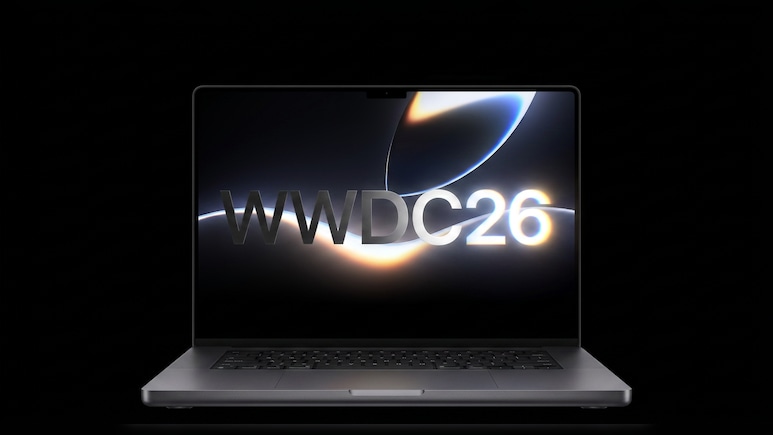
Apple has released official Worldwide Developers Conference 2026 (WWDC 2026) wallpapers for iPhone, iPad, and Mac ahead of its annual developer conference. Featuring a dark design with a glowing Apple logo, the wallpapers reflect the event's “All Systems Glow” theme and are available for download now.
The wallpapers were released alongside other promotional material shared by Apple, including a new Apple Music playlist, and a “Get Ready” video for developers.
The wallpaper's dark theme against a glowing Apple logo hints at a vibrant design direction for upcoming software updates. There are anticipations about major rumoured Siri improvements in iOS 27.
Also Read | Layoffs Are Rising In Tech, But These Skills Are Helping People Unlock Better Pay
Apple will unveil its latest software and technological updates during the WWDC keynote, which will be streaming live on Monday, June 8, at 10 a.m. PT (10:30 p.m. IST). The keynote will be streamed live on the Apple Events website. It will also be streamed in the Apple TV app and on YouTube.
Apple WWDC 2026 Wallpapers' Theme:
The WWDC 2026 wallpaper showcases a sleek dark background. It is highlighted by a radiant, glowing Apple logo. The luminous design aligns with Apple's “All Systems Glow” theme and creates a futuristic and vibrant look. Apple fans are hoping that the wallpaper's bright accents are likely a hint at a fresh visual direction for upcoming software updates and user interfaces.
The iPhone, iPad, and Mac versions can be downloaded on the Apple website.
How To Set WWDC 2026 Wallpaper On MacOS:
- Visit Apple WWDC 2026 Wallpaper Page.
- Download the relevant version of the WWDC 2026 wallpaper for your iPhone, iPad or Mac.
- Save the image to your preferred location.
- Open System Settings on your device.
- Select Wallpaper from the sidebar.
- Click Add Photo, choose the downloaded image, and set it as your wallpaper.
ALSO READ: iPhone 18 Pro Max Camera Upgrade Is Coming — But Will Apple Bump The Device's Price?
Apple's WWDC 2026 will take place from June 8 to June 12 under the theme “All Systems Glow.” The event will begin with a special gathering at Apple Park on June 8, where developers and attendees will get an early look at Apple's latest software, technologies and innovations.
Essential Business Intelligence, Sharp Market Insights, Practical Personal Finance Advice, Daily Fuel, Gold and Silver Prices and Latest Stories — On NDTV Profit.