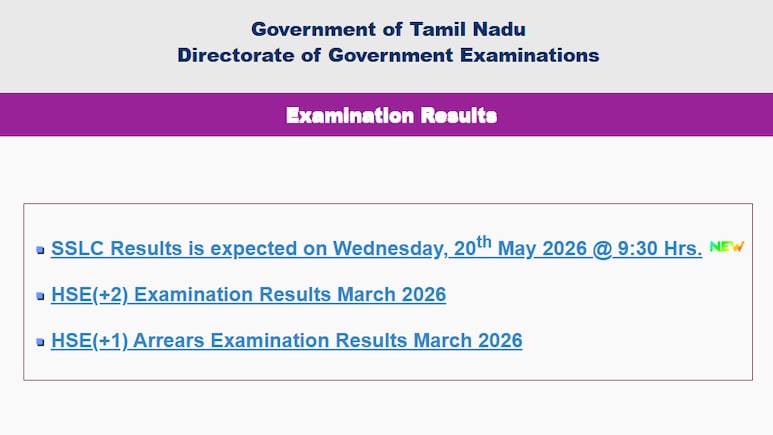
The Directorate of Government Examinations in Tamil Nadu (TNDGE) has announced the results for the Tamil Nadu Class 10 or SSLC examinations. Students who appeared for the SSLC board examinations will be able to access and download their provisional marksheets from official websites such as tnresults.nic.in, dge.tn.gov.in, digilocker.gov.in, and umang.gov.in.
The overall pass percentage is 94.31%, a modest increase from last year's percentage of 93.80%. The Class 10 examinations conducted by the Tamil Nadu Board took place in an offline written format between March 11 and April 6.
Official website & Direct link to check results
tnresults.nic.in – Direct Link
dge.tn.gov.in – Direct Link
TN SSLC Results 2026: Follow this guide to check & download the results
Step 1: Go to the official website - tnresults.nic.in
Step 2: Click on the TN SSLC Results 2026 link available on the homepage
Step 3: Enter your details including registration number and date of birth
Step 4: Click submit, and your result will be displayed on the screen
Step 5: Carefully review all information on the TN SSLC scorecard
Step 6: Download PDF of the result for future use
ALSO READ: CHSE Odisha 12th Result 2026 Tomorrow: Check Plus 2 Results Release Time, Websites Link
TN SSLC Results 2026: How to check results via SMS
Step 1: Open the SMS application on your mobile device
Step 2: Type: TNBOARD12REGNO, DATE OF BIRTH
Step 3: Send it to 092822 32585 or +91 92822 32585
Step 4: The result will be forwarded to your mobile number as a text message
TN SSLC Results 2026: Follow these steps to check & download via DigiLocker
Step 1: Visit the DigiLocker Results Portal or launch the DigiLocker application
Step 2: Log in using your registered mobile number or Aadhaar credentials
Step 3: First-time users should complete the registration process beforehand
Step 4: Go to the "Education" or "Results" section on the homepage.
Step 5: Select Tamil Nadu Board from the dropdown options
Step 6: Click on "SSLC Result 2026"
Step 7: Enter the required information such as roll number and passing year.
Step 8: Click the "submit" button.
Step 9: Download and save the provisional digital mark sheet for future reference.
How to Check Via Umang App
Step 1: Launch the UMANG application or navigate to the official UMANG website
Step 2: Look up Tamil Nadu Board or SSLC Outcome 2026
Step 3: Input registration number along with birth date
Step 4: Submit the information
Step 5: Retrieve the digital version
ALSO READ: CHSE Odisha 12th Result 2026 Tomorrow: Check Plus 2 Results Release Time, Websites Link
Essential Business Intelligence, Sharp Market Insights, Practical Personal Finance Advice, Daily Fuel, Gold and Silver Prices and Latest Stories — On NDTV Profit.