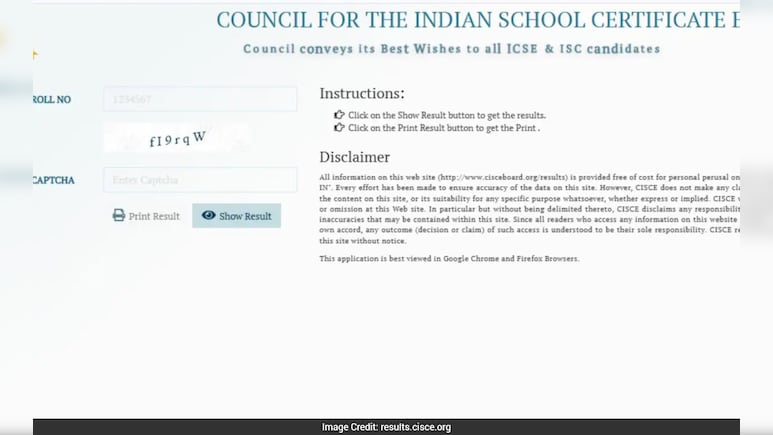
The Council for the Indian School Certificate Examinations (CISCE) officially declared the ICSE (Class 10) and ISC (Class 12) board examination results for the academic session 2025–26 on Thursday, April 30, at 11:00 AM. However, moments after the announcement, thousands of students reported difficulty accessing the official results portal results.cisce.org, which appeared to be temporarily unreachable due to exceptionally high user traffic.
Website Downtime Causes Anxiety Among Students
As soon as the result links went live, students and parents rushed to check their scorecards, leading to a massive surge in simultaneous logins. Several users reported slow loading times, server errors, and complete inaccessibility of the main results website.
CISCE has not issued a separate notice calling the outage a technical failure; rather, officials indicated earlier that high traffic shortly after the declaration could cause temporary access issues, advising students to use alternative official platforms for checking results.
Also Read | Layoffs Are Rising In Tech, But These Skills Are Helping People Unlock Better Pay
https://results.cisce.org/ was displaying the following message when students were accessing the website.

CISCE Results 2026: Key Details
- Result declaration date & time: April 30, 2026, at 11:00 AM
- Examinations: ICSE (Class X) and ISC (Class XII)
- Credentials required: Unique ID (UID), Index Number, and CAPTCHA
- Nature of online marksheets: Provisional; original certificates to be issued by schools later
How to Check CISCE Results 2026 via Alternate Methods (When Website Is Down)
To mitigate inconvenience caused by the temporary unavailability of results.cisce.org, CISCE has enabled multiple official alternate channels. Students are advised to rely only on these authenticated platforms.
Check Results via DigiLocker: Follow these Steps:
- Open the DigiLocker app or website.
- Log in using your registered mobile number (linked with Aadhaar).
- Go to “Issued Documents.”
- Select “Council for the Indian School Certificate Examinations (CISCE).”
- Choose the ICSE/ISC Result 2026 document.
- Enter required details such as UID and exam year.
- Download or save the digital marksheet.
Check Results via UMANG App: Follow these steps:
- Install or open the UMANG app.
- Log in using mobile number/OTP.
- Search for “CISCE” under education services.
- Select ICSE or ISC Results 2026.
- Enter UID and Index Number.
- View and download your result.
Check Results via SMS: Follow these steps:
Type: ICSE <7-digit UID> or
ISC <7-digit UID>
Send the message to 09248082883
Receive your result details via return SMS.
Essential Business Intelligence, Sharp Market Insights, Practical Personal Finance Advice, Daily Fuel, Gold and Silver Prices and Latest Stories — On NDTV Profit.