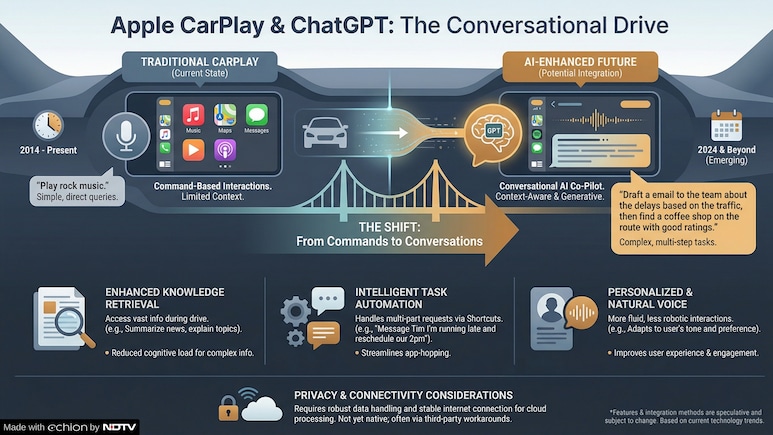
- ChatGPT is now available on Apple CarPlay with the iOS 26.4 update
- Users can have voice conversations with ChatGPT while driving using CarPlay
- ChatGPT requires tapping the screen to start voice chat, unlike fully hands-free Siri
People will now be able to use ChatGPT in Apple CarPlay with iOS 26.4. By downloading the latest app, they can have voice conversations with the popular AI chatbot while driving.
The update comes two months after Apple announced in February that it would allow third-party voice apps on CarPlay with iOS 26.4. The update started rolling out last week with OpenAI being one of the first to use this feature.
Also Read | Layoffs Are Rising In Tech, But These Skills Are Helping People Unlock Better Pay
According to a report by PCMag, using ChatGPT is not as simple as using Siri. With Siri, drivers can be fully hands-free. With ChatGPT, they need to tap the screen a few times before talking.
Once the voice chat starts, drivers can speak with ChatGPT like usual. The screen will show “Listening” and “Speaking” depending on who is talking. After finishing, a transcription of the conversation will also be saved in the ‘Recents tab'.
How To Use ChatGPT In CarPlay
To use ChatGPT while driving, users will need to update their iPhone to iOS 26.4. Then, download the latest ChatGPT app from the App Store.
- Update your iPhone to iOS 26.4.
- Download the latest ChatGPT app from the App Store.
- If available in your region, go to Settings > CarPlay > My Car > Apps.
- You will see ChatGPT under Included apps.
- If it appears under More apps, tap the green plus button to add it.
From the car's screen, drivers can open the ChatGPT app and tap ‘new voice chat' to start. They can also ask Siri to launch the app, which will open ChatGPT's homepage. For safety, Apple allows only voice interactions on CarPlay. Written responses or images cannot appear on the screen, MacRumous reported.
PCMag report added that Google's AI is also expected to come to CarPlay soon. Gemini-based voice chat features already began rolling out to Android Auto in November.
ALSO READ: What Is Anthropic's Claude Mythos And Why Will It Bring A 'Wave Of AI-Driven Exploits'?
New reports have also emerged claiming that Apple is planning to let rival AI chatbots work with Siri in iOS 27. More details about this are expected at Apple's Worldwide Developers Conference in June, where the company is likely to reveal updates about its operating systems and new features.
Essential Business Intelligence, Sharp Market Insights, Practical Personal Finance Advice, Daily Fuel, Gold and Silver Prices and Latest Stories — On NDTV Profit.