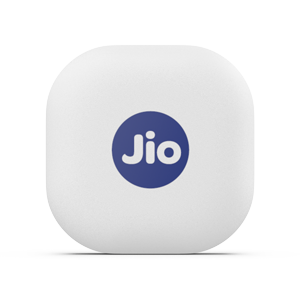
Reliance Jio has launched a new item tracking divide JioTag in India. This gadget is seen as an alternative to Apple's AirTag and Samsung's Galaxy SmartTag.
JioTag is Bluetooth enabled and offers a range of up to 20 meters indoors
and up to 50 meters outdoors (Direct line of sight), according to the product description on Jio's website.
The device is available in only white colour and comes with a battery life of upto 1 year.
According to Jio, the key features of JioTag are:
Can be used to find lost items like keys, wallet etc.
JioTag can help users find their mobile phones. They can double tap their linked JioTag to ring their phone, even when it is on silent.
JioTag will provide the accurate last disconnection location of an item
If a JioTag is misplaced, it can be marked as lost on the JioThings app and the Jio Community find network will search and report back the location of a users lost JioTagged belonging.
JioTag Price And Availability
Currently, JioTag can be purchased on Jio website at an introductory price of Rs 749. The MRP is stated to be Rs 2,199. The product can also be purchased from Reliance Digital stores, as per reports.
Apple's AirTag is priced at Rs 3,490.
How To Order JioTag?
Step 1: Visit the official website-- https://www.jio.com/shop/en-in/jiotag/p/491600763
Step 2: Enter the Pin code and quantity and click on the checkout option
Step 3: Enter personal details, delivery address, and payment method and click on continue
Once the payment is done, users will receive the order notification and delivery details.
Essential Business Intelligence, Continuous LIVE TV, Sharp Market Insights, Practical Personal Finance Advice and Latest Stories — On NDTV Profit.