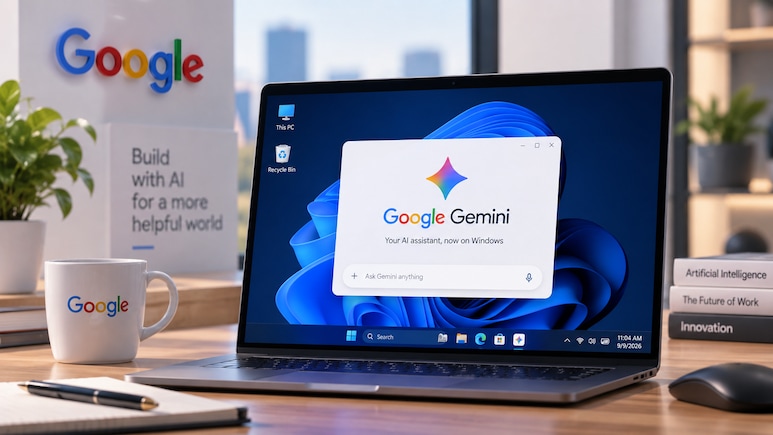
Google has launched Gemini app for Windows today, September 10, 2026, bringing its AI assistant directly to PCs running Windows 10 and Windows 11. The desktop app is designed to let users access Gemini without leaving the applications they are working on.
The app can be opened instantly by pressing Alt + Space, allowing users to polish drafts, summarise documents, brainstorm ideas and perform quick fact checks from their active workspace.

-
 Indian Markets Turning Corner After Two Tough Years, Says Sandeep Tandon
 -
 NDTV Profit Ignite 2026: Experts See Opportunity In Equities, Stay Bullish For Long-Term
 -
 Buy Right, Sit Tight Does Not Work for Individual Stocks, Says Dinshaw Irani
 -
 'Worst Is Behind': Quant MF Sees Market Bottom, Flags 'Extreme Euphoria' In Midcaps
 -
 India's Mutual Fund Industry Could Become A $1 Trillion Opportunity, Say Fund Managers
 -
 'Foreign Investors Are Baraatis': Raamdeo Agrawal's Take On LTCG Tax
 -
 Stay Invested Through Market Cycles: Raamdeo Agrawal at NDTV Profit Ignite
 -
 Ramesh Damani Remains Bullish On India For Next 20-30 Years, Sees Bargains Amid Market Weakness
 -
 CAS Came After A Long Consultation Process: SEBI Chairman Tuhin Kanta Pandey AT NDTV PROFIT IGNITE
 -
 Aim To Cut FPI Onboarding Time From Mth To Five Days: SEBI Chairman Tuhin Kanta Pandey AT NDTV PROFI
Google said the Windows app also offers a dedicated environment for more complex tasks. Users can access Gemini Spark, described by Google as a 24/7 personal AI agent, for multi-step tasks.
Also Read | Layoffs Are Rising In Tech, But These Skills Are Helping People Unlock Better Pay
Also Read | Google Unveils Fairwind Programme With Gemini 3.8 Flash Cyber: Here's All You Need To Know
Gemini can also pull information from Google services such as Gmail and Google Drive to help prepare project summaries and other content.
The desktop app also brings Google's image and video creation tools to Windows users. Users can generate custom images with Nano Banana and create videos using Gemini Omni directly through the application.
Google said the app has been designed to remain lightweight and operate quietly without significantly slowing down a PC.
The company said today's launch is only the beginning for Gemini on Windows, with more native desktop capabilities expected to roll out over time.
Also Read | Google Rolls Out September Android Update With Motion Assist And Gemini Upgrades
The Gemini Windows app is available globally from today, September 10, for computers running Windows 10 and Windows 11.
Google is positioning the desktop version as a way for users to keep AI assistance close to their everyday work, whether they are writing documents, researching information, managing projects or creating visual content.
Essential Business Intelligence, Sharp Market Insights, Practical Personal Finance Advice, Daily Fuel, Gold and Silver Prices and Latest Stories — On NDTV Profit.