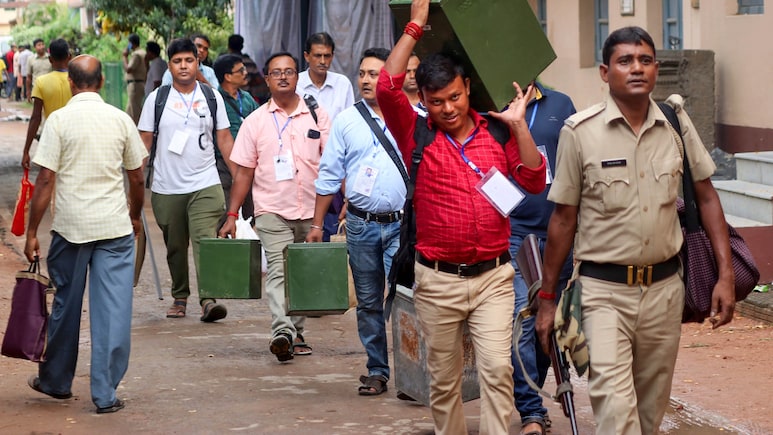
Voting for 29 municipal corporations across Maharashtra, including Mumbai's Brihanmumbai Municipal Corporation (BMC), has begun. People in key districts such as Thane, Nagpur, Pune and Pimpri Chinchwad will also elect new officials for their civic bodies. Polling will be held for 2,869 seats across 893 wards. Voting will continue till 5.30 p.m. on Jan. 15.
Campaigning for the civic elections ended on Tuesday. The spotlight is firmly on Mumbai, where the BJP-led Mahayuti is facing a tough challenge from a united Thackeray front in the battle to control the BMC, the country's richest civic body.
According to election officials, around 3.48 crore voters are eligible to cast their ballots. A total of 15,931 candidates are in the fray, including about 1,700 candidates in Mumbai and 1,166 in Pune. Counting of votes will take place on Jan. 16.
While the voting process largely remains the same, officials have advised citizens to make basic preparations before heading out. Voters must know their designated polling booth and its exact location. These details are mentioned on voter slips distributed ahead of elections and are also available online through the Election Commission's website and mobile apps.
Here's How To Check Polling Booth Details Online
Visit the Maharashtra State Election Commission website.
Click on the Voter Search option. You will be redirected to the SEC's voter list portal: mahasecvoterlist.in.
On the homepage, click on Search Name in Voter List.
Choose the search method — EPIC Number Wise or Name Wise.
Select your local body type (Municipal Corporation, Municipality, Nagar Panchayat, Zilla Panchayat, etc.), district and local body name.
Enter your EPIC number (or full name if searching name-wise) and click Search. Your details, including polling booth name, address and voter slip information, will be displayed.
Voters can also check their details using the Election Commission's Voter Helpline App, which provides information such as name on the electoral roll, polling booth location and voter slip details. The app can be downloaded from the ECI website. After confirming details, voters should carry a valid photo ID such as Aadhaar, PAN card or passport to vote.
Essential Business Intelligence, Continuous LIVE TV, Sharp Market Insights, Practical Personal Finance Advice and Latest Stories — On NDTV Profit.