Christmas is here, and so are the holiday-themed photos. The good news this Christmas is whether you've “decked the halls” or not, you can still have a stunning holiday-themed portrait — courtesy generative AI tools like Nano Banana Pro and GPT Image 1.5. All you need to do is upload your usual selfie into the tool and use prompts to transform them into Christmas portraits.
Below are seven prompts to turn your selfie into a Christmas portrait using Gemini Nano Pro or GPT Image 1.5.
Prompt 1
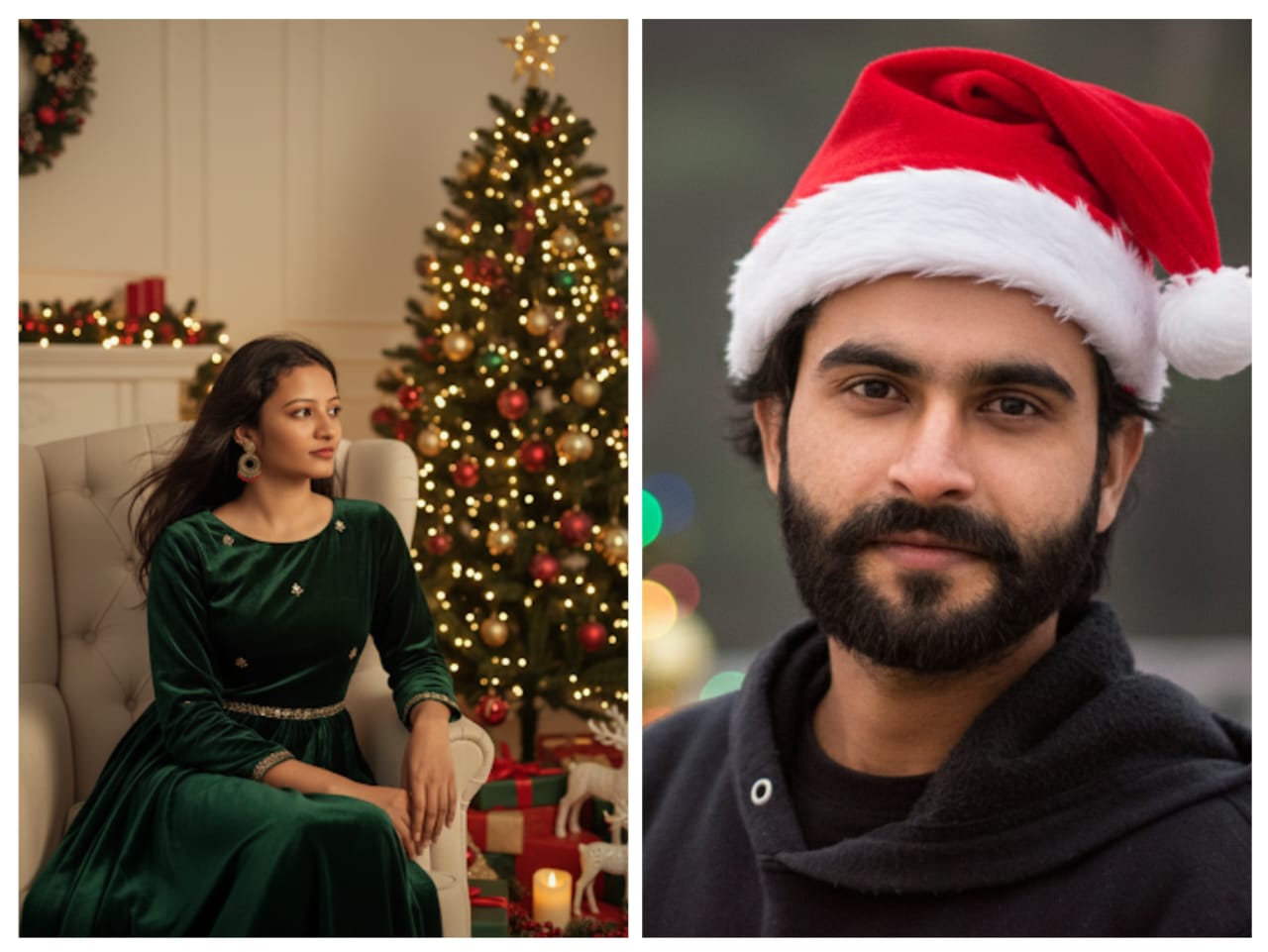
Transform the uploaded selfie into a realistic Christmas portrait, preserving the subject's exact facial features, face shape, skin tone, and expression. Position the person seated next to a beautifully decorated Christmas tree in a warm, cozy living room. Soft golden fairy lights gently illuminate the face, with wrapped presents and holiday decorations surrounding them. Use cinematic lighting and a natural, festive holiday atmosphere.
Portrait with Christmas tree. (Source: Nano Banana Pro)
Prompt 2
Transform the selfie into a cozy Christmas Eve portrait, maintaining all original facial details and natural expression. Show the person sitting close to a glowing fireplace, wearing winter clothing. The firelight softly highlights the face. Decorate the background with Christmas stockings, garlands, and candles.
Prompt 3
Convert the selfie into a realistic snowy Christmas portrait, keeping the original facial features, skin texture, and face unchanged. Depict the person outdoors in light falling snow, dressed in a winter coat and scarf. Include soft festive lights glowing in the background. Feature authentic snowflakes, cool winter colour tones balanced by warm lighting.
Prompt 4
Turn the selfie into a festive Christmas close-up portrait, ensuring the face remains entirely unchanged with sharp detail. Add a traditional red Santa hat and apply gentle holiday lighting. Create a colorful background with twinkling Christmas lights.
Christmas portrait with Santa hat. (Source: Nano Banana Pro)
Prompt 5
Convert the selfie into an elegant Christmas party portrait while preserving the original facial structure, skin tone, and identity. Dress the people in a sophisticated festive outfit. Place the subject indoors beside a decorated Christmas tree with warm golden lighting and subtle sparkling accents.
Prompt 6
Using the boy from the uploaded image, create a realistic winter scene set in a snow-covered village with a snowman beside him. Ensure the boy's face exactly matches the original photo. Change his clothing to red, position the snowman next to him, and include a reindeer in the background. The overall image should resemble a charming Christmas postcard.
Prompt 7
Transform the selfie into a warm candlelit Christmas portrait, keeping the original face completely authentic and unchanged. Surround the person with softly glowing candles and understated festive decorations. Use gentle shadows to accentuate facial features. Create a calm, artistic composition with cinematic holiday lighting.
Apple iPhone 18 Pro, iPhone 18 Pro Max Production Tipped To Begin In February 2026Essential Business Intelligence, Continuous LIVE TV, Sharp Market Insights, Practical Personal Finance Advice and Latest Stories — On NDTV Profit.