Social networking site LinkedIn on Wednesday introduced a new identity verification feature for its 100M + members in India.
LinkedIn India's Country Manager Ashutosh Gupta said that having an ID verification means that the individual's government-issued ID is verified by one of LinkedIn's verification partners.
"In India, the ID verification is performed by HyperVerge, a third-party identity verification service, that leverages DigiLocker, which is a digital wallet for Government IDs in India including Aadhaar. This verification is available for those with a valid Aadhaar number and an India phone number, and will be shown on your LinkedIn profile," he said in a blog post.
Ashutosh Gupta said that the company believes that verification should be for everyone on LinkedIn and that's why this feature will be available for free to all eligible members in India.
"On LinkedIn, when you show that you're the real you, you'll have an even greater chance of finding the professional opportunities that matter to you and your community," he stated.
Here are six simple steps to V.E.R.I.F.Y. a LinkedIn profile for a safer, more authentic experience"
How To Verify A Profile On LinkedIn?
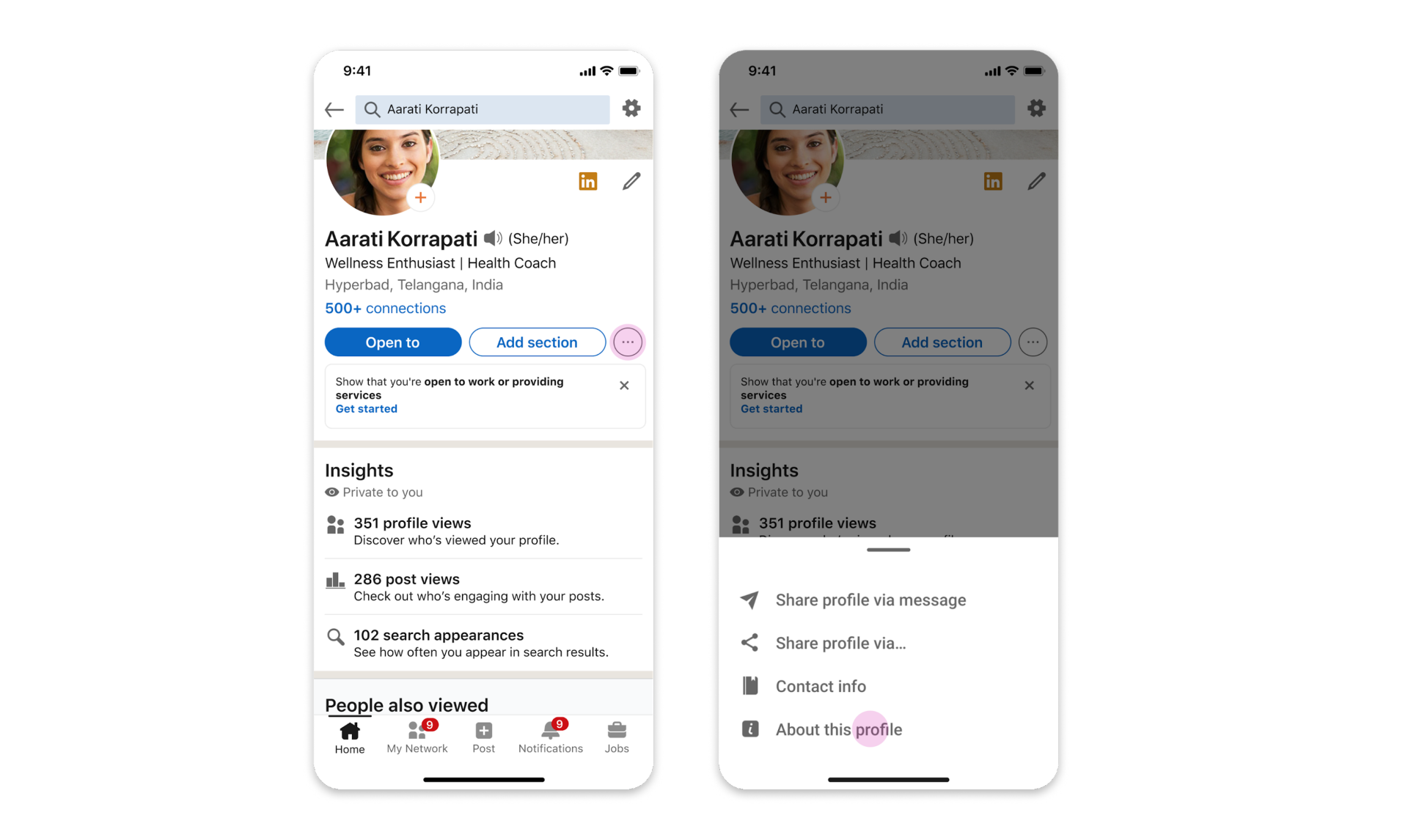
V: Visit the "About this profile" section on your LinkedIn profile and click on ‘Verify with Aadhaar' to initiate the verification process.
E: Enter your Aadhaar number on the Digilocker screen.
R: Receive an OTP on your registered mobile number.
I: Instant verification by Hyperverge using DigiLocker. If you don't have a DigiLocker account, you will be signed up for it automatically.
F: Complete a liveness check; take a selfie to do a Face match with your Aadhaar photo.
Y: Click on “Yes, Share with LinkedIn” for the verification to be added to your LinkedIn profile.
Discard identity verification with this process:
Step 1: Visit this link-- https://www.linkedin.com/mypreferences/d/verifications
Step 2: Select the Settings & Privacy
Step 3: Check Account Preferences and then select Verifications
Step 4: Verify the deletion
Kindly note that once deleted, a user cannot restore this verification.
Essential Business Intelligence, Continuous LIVE TV, Sharp Market Insights, Practical Personal Finance Advice and Latest Stories — On NDTV Profit.