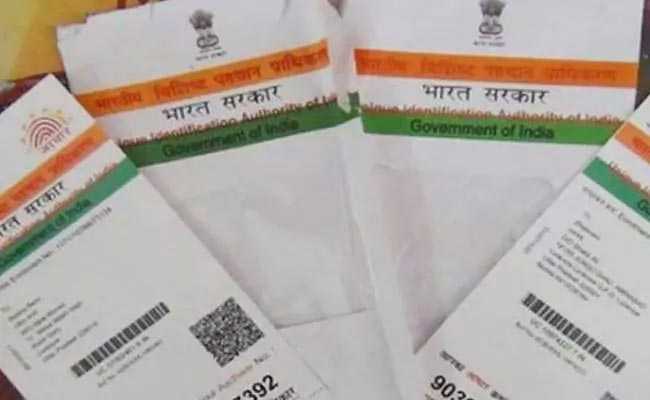
The Unique Identification Authority of India (UIDAI) recently rolled out a revamped version of Aadhaar card. The Aadhaar card - the personal identification under the government's Aadhaar biometric ID programme - is now also available in a PVC- or polyvinyl chloride-based form. Registered users can order a PVC Aadhaar card online using a paid service. The UIDAI, the issuer of the Unique Identity Number as well as the Aadhaar card, also enables users to track the status of their orders online.
How To Track Status Of PVC Aadhaar Card Order
Here's a step-by-step guide explaining how a user can check the status of a PVC Aadhaar card online:
Visit the uidai.gov.in website and select the "Check Aadhaar PVC Card Status" option. Here's the direct link.
On the next page, titled "Check Aadhaar Reprint Status", enter details such as the 12-digit Aadhaar number (also known as Unique Identity Number) and the Service Request Number (SRN).
SRN is a 28-digit number issued after a user orders a PVC print online.
Click on "Check Status" to proceed.
#AadhaarPVCcard
You can use any mobile number to receive OTP for authentication, regardless of the registered mobile number in your Aadhaar. So, one person can order Aadhaar PVC cards online for the whole family.
Follow the link residentpvc.uidai.gov.in/order-pvcreprint to order now.
How to order an Aadhaar PVC card
A PVC Aadhaar card can be ordered using this link. This is a paid service. The user has to pay a fee of Rs 50 to get a PVC Aadhaar card. (Read More On How To Get A PVC Aadhaar Card Online Using This New Service)
The Aadhaar PVC card is delivered to the registered user by Speed Post, according to the UIDAI.
The Unique Identification Authority of India provides updates on its services through social media from time to time.
Essential Business Intelligence,
Continuous LIVE TV,
Sharp Market Insights,
Practical Personal Finance Advice and
Latest Stories — On NDTV Profit.