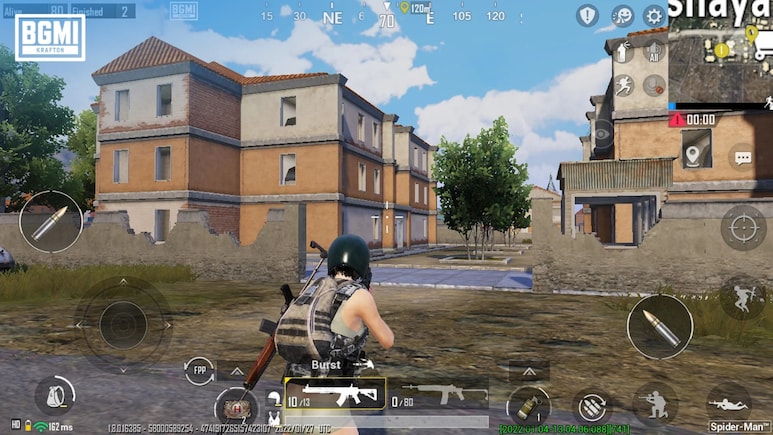
The latest update for popular online game Battlegrounds Mobile India (BGMI) went live on Jan. 15, delivering a new thematic experience alongside new abilities, vehicles and a prominent collaboration with Royal Enfield. Krafton has opted for a phased rollout for BGMI 4.2 on Android and iOS platforms, advising players to ensure sufficient storage and a reliable internet connection before downloading.
Here's a breakdown of the scheduled window for the rollout across platforms:
Rollout Time (Android): 6:30 a.m. – 12:30 p.m. IST
Also Read | Layoffs Are Rising In Tech, But These Skills Are Helping People Unlock Better Pay
Rollout Time (iOS): 8:30 a.m. – 12:30 p.m. IST
Update Size: Estimated 0.9 GB – 1.5 GB (varies by device)
The rollout is being carried out in phases, meaning the update may not appear at the same time for all users. Players who could not see it at 6:30 a.m. on Jan. 15 are advised to check again later, as full availability is expected by afternoon.
The BGMI 4.2 update is now available separately for Android and iOS users, with official download links provided to ensure a secure installation.
BGMI 4.2 Update Download Link For Android: Click Here
BGMI 4.2 Update Download Link For iOS: Click Here
Steps To Download BGMI 4.2 Update On Android
For a secure update, it's recommended to use the Google Play Store rather than third-party APKs, which may lead to security issues.
Here's how to update BGMI 4.2 safely on Android:
Open the Google Play Store on your device.
Tap your profile icon in the top-right corner.
Choose “Manage apps & device”.
Go to “Updates available”.
Locate Battlegrounds Mobile India (BGMI) in the list.
Press Update to install the latest version.
Steps To Download BGMI 4.2 Update On iOS
Launch the App Store on your iPhone or iPad.
Tap your profile icon in the top-right corner.
Swipe down on the screen to refresh; a spinning wheel will indicate loading.
Scroll to “Upcoming Automatic Updates” or “Available Updates”.
Locate BGMI and tap update.
BGMI 4.2 brings a fresh fantasy element to the battle royale with the Primewood Genesis mode. Key features include the 'Tree of Life' and the hazardous 'Corrupting Flower', which releases a lethal poison capable of instantly knocking out any player who touches it, heightening the stakes in combat and movement.
BGMI 4.2 is also introducing new rideable bikes in collaboration with Royal Enfield. From Jan. 19, the Royal Enfield 350 and Continental GT 650 motorcycles will be available for players to ride within the game.
Essential Business Intelligence, Sharp Market Insights, Practical Personal Finance Advice, Daily Fuel, Gold and Silver Prices and Latest Stories — On NDTV Profit.