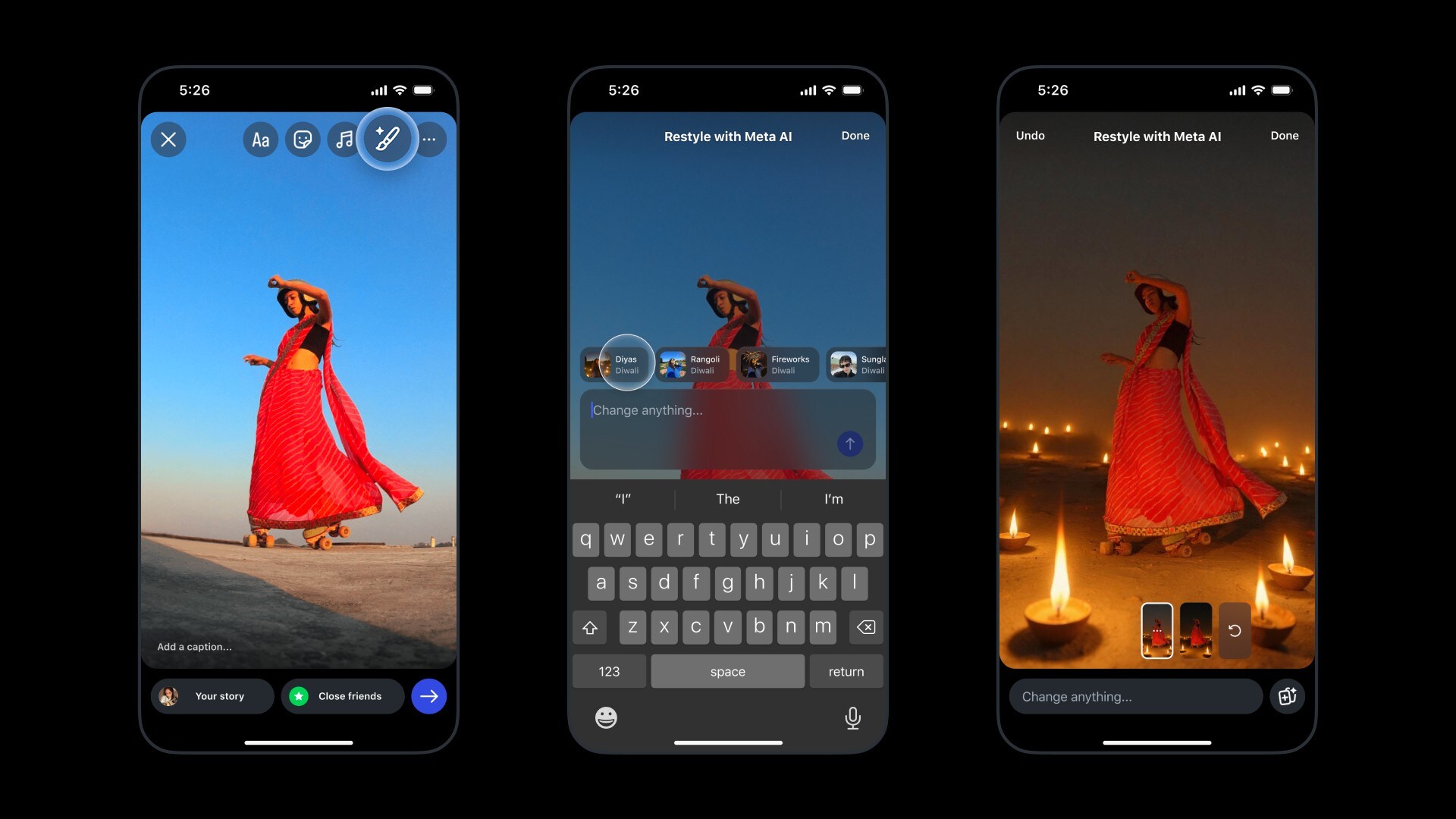
Instagram has introduced limited-edition Diwali-themed effects for Instagram Stories and its Edits app in India and a few other markets. These effects allow users to enhance photos and videos in Stories and videos in the Edits app inspired by Diwali. Available through the Restyle option in both apps, the effects are accessible until Oct. 29.
The new effects, powered by Meta AI, include Fireworks, Diyas, and Rangoli for photos and Lanterns, Marigold, and Rangoli for videos.
How To Use Restyle Using Diwali Theme On Instagram Stories
Open Instagram and access Stories by tapping the + icon on your profile photo or swiping left.
Choose a photo or video from your camera roll for your Story.
Tap the Restyle (paintbrush) icon at the top.
Browse and select a Diwali-themed effect. Meta AI will apply it to the story.
Tap Done if satisfied, or adjust the result with text prompts.
Share by tapping Your Story.
How To Restyle Videos Using Diwali Theme On Edits App
In the Edits app, tap + to start a new project.
Select a video from Reels or Gallery, or record one using the camera.
Tap the Restyle option at the bottom of the screen.
Choose a Diwali-themed effect (Lanterns, Rangoli, Marigold) from the Diwali header. Meta AI will apply the effect.
Make any additional adjustments if required.
Choose video resolution, frame rate, and colour, then tap Export.
Essential Business Intelligence, Continuous LIVE TV, Sharp Market Insights, Practical Personal Finance Advice and Latest Stories — On NDTV Profit.