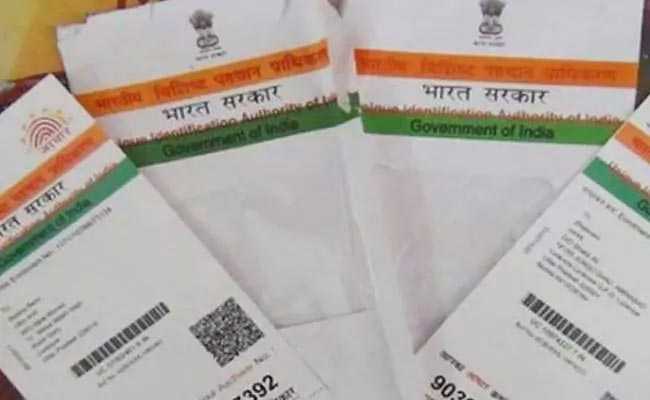
An online facility provided by the Unique Identification Authority of India (UIDAI) — which manages the government's Aadhaar biometric ID programme — enables users to retrieve their lost Enrolment ID (EID). An EID is a unique identification number issued to an Aadhaar enrollee at the time of registration. This number is used to track an Aadhaar application. Users can retrieve a lost EID or Aadhaar number online, either through the UIDAI website — uidai.gov.in — or mobile app mAadhaar. (Also Read: How To Verify Phone Number Linked To Aadhaar Card Online)
Here's a step-by-step guide on how to retrieve a lost Aadhaar number or Enrolment ID using this UIDAI facility:
UIDAI Website
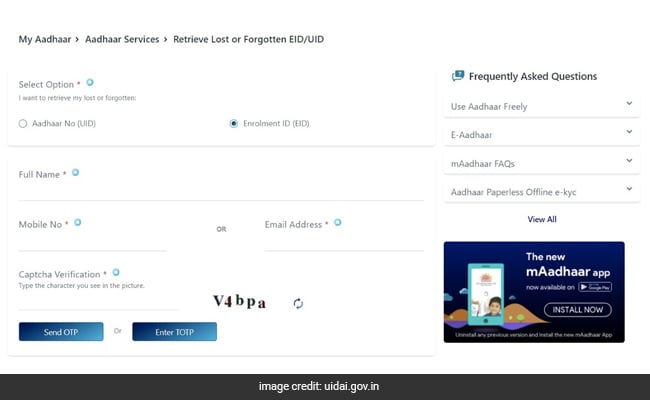
Go to the UIDAI website and click on the relevant option: "Retrieve Lost or Forgotten EID/UID" or "Aadhaar number (UID). Here's a direct link.
Fill in required details and click on "Send OTP" to proceed.
(Also Read: Need To Get Aadhaar Card Printed/Reprinted? Read This)
The online tool then sends a one-time passcode to the Aadhaar user's registered mobile number. Fill in this OTP in the given space on the next page.
The Aadhaar number — also known as Unique Identity Number — is then sent to the user's registered mobile number.
mAadhaar
Select the "Retrieve EID/UID" option from the main page of the mobile app.
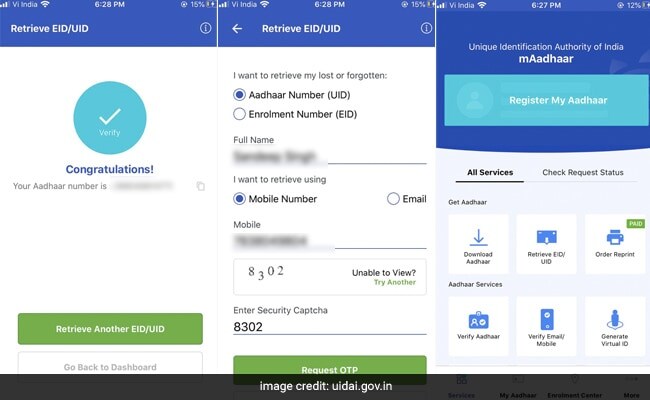
On the next page, fill in the required details and tap on "Request OTP".
(Also Read: All You Need To Know About This New Aadhaar Card)
Enter the OTP (received in an SMS) in the designated space on the next page.
(Also Read: How To Download A Digital Aadhaar Card)
The mAadhaar app displays the enrolment ID or Aadhaar number on the next page upon successful entry.
Essential Business Intelligence, Continuous LIVE TV, Sharp Market Insights, Practical Personal Finance Advice and Latest Stories — On NDTV Profit.