Shriram Properties IPO: How To Check Share Allotment Status
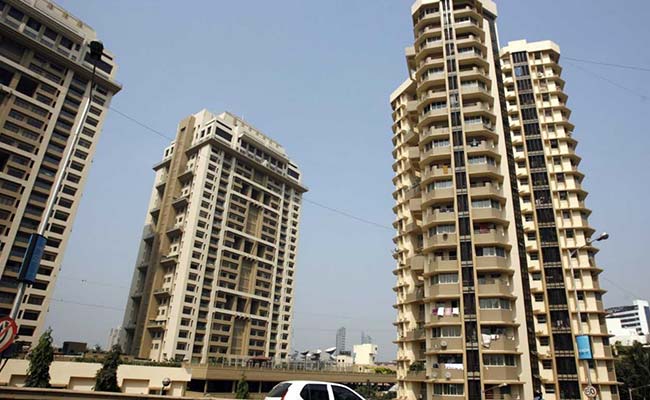
The finalisation of Shriram Properties share allotment is likely to be done today. The initial public offer (IPO) of the real estate developer concluded on December 10. The IPO was subscribed 4.60 times by the end of its bidding process. The IPO opened for subscription on December 8, and closed on December 10 - remaining open for investors for a period of three days.
The company sold its shares in the price band of Rs 113-Rs 118 per equity share. 75 per cent of the issue was reserved for qualified institutional buyers, 15 per cent for high net worth individuals and 10 per cent for retail investors. Here's how to check the share allotment status of Shriram Properties IPO.
Shriram Properties is a part of the Shriram Group and is one of the leading residential real estate development companies in South India. The company primarily focuses on the mid-market and affordable housing segments.
Shriram Properties IPO: How to check share allotment status
Steps to check the status of allotment through the BSE website:
- Log in to https://www.bseindia.com/investors/appli_check.aspx
- Select Shriram Properties IPO from the list
- Enter your application number
- Provide your PAN number
- Verify that you are not a robot and click ‘submit'
Steps to check the status of allotment through KFIN Technologies portal:
- Visit the web portal of KFin Technologies Private Limited
- Select the IPO in dropbox whose name will be populated only if the allotment is finalised
- Select either one of the three modes: Application number, Client ID or PAN ID
- In the application type, select between ASBA and non-ASBA
- Enter the details of the mode selected in step 2
- Fill the captcha
- Click on submit

-
Unhedged Position: Can India See An Indonesia-Style Time Correction?

The Nifty is trading below levels it first clocked in 2024. Is there, then, as I have suggested in the headline, potential that the current time correction drags on painfully for the next three-five, even ten years?
-
Navigating Friction And Energy Realities: An Analysis Of Marco Rubio's October Visit To India
Occurring at a critical juncture marked by stalled trade negotiations and escalating geopolitical pressures over global energy supplies, the visit offers a profound window into modern US-India relations.
-
India Exports Capital. Why Not Export Trusteeship?
The big question, then, is whether India can build an institution that global borrowers, investors, banks, and lawyers can trust, even without an Indian connection.
-
France's Economy & Politics Are In Crisis | The Reason Why
Let's look at how the French economy and politics evolved under Nicolas Sarkozy, Franois Hollande and Emmanuel Macron.
-
You May Inherit The Business. You Must Earn Its Credibility.
Succession tests the founder's ability to share authority as much as it tests the next generation's readiness to assume it.
-
Signing Deals Is One Thing; Making Them Work Is Another | The Week In Whys
Sometimes, things don't turn out as planned. Indian companies have lost some bids to rivals, some projects won't produce until 2030.
-
FOMC Wall, PERM Suspension, Hospital Stocks | Talking Points This Week
A PERM suspension would directly affect green-card sponsorship rather than H-1B visas, so the near-term earnings impact could remain relatively limited. The key question is whether this marks a new phase in US scrutiny of Indian IT.
-
Everything, Everywhere, All At Once: Dalal Street's Week To Forget | Joining The Dots
Visa curbs, a Starlink spat and cancer drug caps: what connects this week's shocks for Indian markets
-
India Is Going Abroad For Critical Minerals. But It May Take Years To Pay Off | The Reason Why
Although India's steps are in the right direction, they remain modest compared with India's growing dependence.
-
When Everyone Has AI, What Gives You An Edge?
India's young workforce is entering an uncertain world of work where powerful AI tools are becoming widely accessible. The advantage will belong to those who combine deep expertise with digital fluency, and the distinctly human capabilities that technology cannot manufacture.