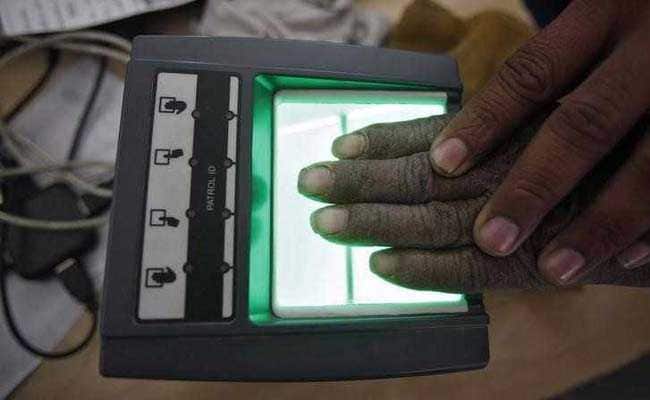
With the mandatory linking of Aadhaar card number now postponed indefinitely, you now have more time to update or correct the details fed into the Aadhaar database. Aadhaar card number, or Unique Identity Number (UID) is a 12-digit personal identification number issued by the Unique Identification Authority of India (UIDAI) to the residents after a verification process, according to the UIDAI's website - uidai.gov.in. But what if you need to change or update your mobile number linked to your Aadhaar card? Or want to check the history of Aadhaar authentication in the recent past?
The UIDAI has provided several tools on its portal, in order to assist the Aadhaar holders. One of these online tools enables the user request a change or update in their address fed into the Aadhaar system. Such a change can be requested online through the Aadhaar portal in three steps, according to the UIDAI website. These are: Login with Aadhaar, Upload Documents and Select BPO Service Provider.
Also read: Aadhaar Linking Deadline Extended: 5 Developments So Far | 12 Aadhaar-related tasks you can perform online
How to update address given on Aadhaar card
1) Once you are on the UIDAI portal, uidai.gov.in, click on the 'Aadhaar update request (online)' link.
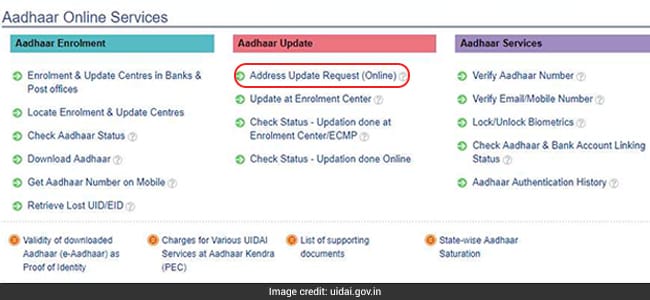
2) On the next page, the UIDAI details the three-step process to request an update. Click on 'Proceed' at the bottom of the page.
3) Input your Aadhaar number and the text verification code as shown on screen. This will generate an OTP which you will receive on your registered mobile number.
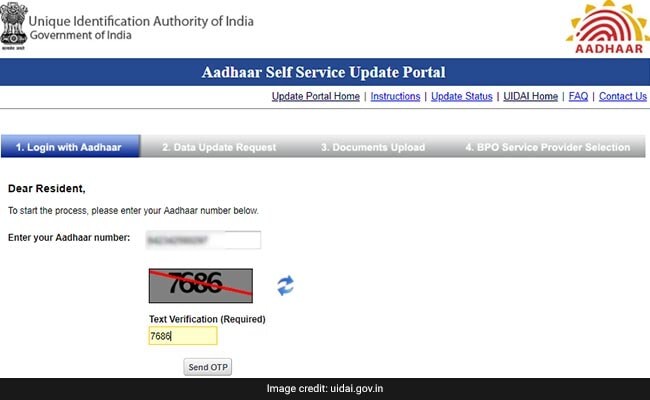
4) Input the OTP received on your registered mobile number.
5) On the next page, select 'address'.
6) Input the address details that you want to update on the next page.
7) Review the details and upload the relevant documents to support your update like voter ID details, driver's licence etc.
8) At the end of submission, a URN or Update Request Number is issued to track the status of application.
For requesting a change in the mobile number associated with Aadhaar, however, biometric authentication is required. "It cannot be done by post or online," says the UIDAI. Aadhaar holders looking to request a change in their Aadhaar mobile number through the 'Enrolment & Update Centres in Banks & Post offices' link on the UIDAI portal, uidai.gov.in.
Mobile number update requires biometric authentication. It cannot be done by post or online. Pls visit https://t.co/oHSQ5QFP9Z and click on ‘Enrolment & Update Centres in Banks & Post offices' Link. Charges for update: Rs. 25 + applicable GST (Approx Rs 30).
Also, by now, you must have linked or used your Aadhaar card number with a host of services. Here's how you can know Aadhaar card number's usage:
By now, you must have linked or used your Aadhaar card number with a host of services. Here's how you can know Aadhaar card number's usage:
How to check where your Aadhaar card has been used for authentication
1. Log on to https://resident.uidai.gov.in/notification-aadhaar
2. Enter your Aadhaar card number and the security code.
3. Select the time frame of the transactions (a maximum of six months) and the number of transactions (maximum 50).
4. Enter the OTP (one-time password), which will be sent on your registered mobile number.
5. After entering all the details you'll be directed to a page that shows your Aadhaar card number history.
Meanwhile, The Supreme Court last week extended indefinitely the deadline of March 31, 2018 for linking of various services like mobile SIM cards, existing bank accounts and PAN (permanent account number) cards with Aadhaar cards.Essential Business Intelligence, Continuous LIVE TV, Sharp Market Insights, Practical Personal Finance Advice and Latest Stories — On NDTV Profit.