Employees Provident Fund (EPF) Online Nomination: Here's How To Do It
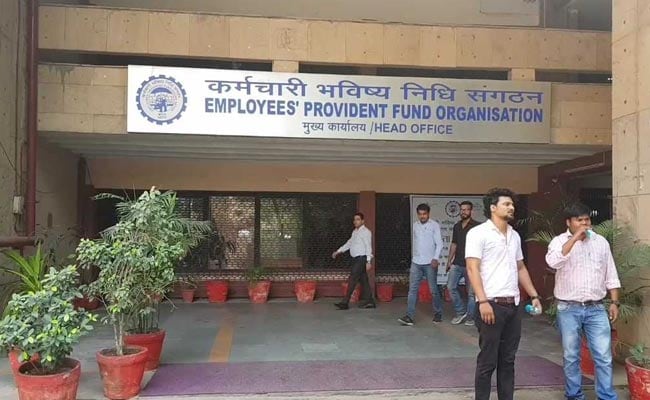
Employees' Provident Fund Organisation or EPFO, which is the nodal agency to monitor EPF (Employees' Provident Fund) contributions, allows subscribers to submit their account's nomination details. Employees can submit their details online through its official website, unifiedportal-mem.epfindia.gov.in. EPF is a mandatory contribution from the salary of an individual. It is important to nominate members to the EPF account, according to EPFO's website. In the event of a subscriber's sudden demise, only the nominated members can withdraw the EPF savings. Subscribers can also nominate more than one nominee and also fix the percentage of sharing among all such nominees.
Here are the steps to submit EPF account's nomination details online:
1. Log on to EPFO's website, unifiedportal-mem.epfindia.gov.in, and enter your UAN (Universal Account Number) and password to login.
2. Click on "Manage" tab and then click on e-nomination option.
3. Details like UAN, name, date of birth etc appear on the screen. Provide your "current and permanent address" details here and click on save.
4. Now, click on "yes" to update family declaration
5. Go to "add family details" and add the details of people you want to nominate. You need to enter the name, date of birth, relation and address of the nominee and Aadhaar number. You can also add more than one nominee by clicking on "add row".
6. Go to "nomination details" and declare the total amount of share among your nominees. In case, you would like to nominate only one person as your nominee then you can declare 100 per cent as share.
7. Click on "save EPF nomination" button.
8. Now, click on e-sign button to generate OTP, which will be sent to the registered mobile number, which is linked to the Aadhaar card.
9. The Aadhaar e-sign facility helps in approving the e-nomination form. Enter the OTP (one-time password).
10. After this the e-nomination gets registered with the EPFO. One doesn't need to send any physical document to the employer or ex-employer after the online nomination is done.

-
Where You Live Shapes How You Get To Work | The Reason Why

Two-wheelers are the most popular way to get to work in India, accounting for nearly 43% of workplace commutes.
-
High US Salaries, No Green Card Certainty: The Financial Calculation Facing Indian H-1B Families
The suspension of PERM processing at eight technology employers does not cancel existing H-1B visas. What it does is force a question many Indian families have been avoiding: is the US salary worth tying your career and family plans to one employer?
-
Unhedged Position: Can India See An Indonesia-Style Time Correction?
The Nifty is trading below levels it first clocked in 2024. Is there, then, as I have suggested in the headline, potential that the current time correction drags on painfully for the next three-five, even ten years?
-
Navigating Friction And Energy Realities: An Analysis Of Marco Rubio's October Visit To India
Occurring at a critical juncture marked by stalled trade negotiations and escalating geopolitical pressures over global energy supplies, the visit offers a profound window into modern US-India relations.
-
India Exports Capital. Why Not Export Trusteeship?
The big question, then, is whether India can build an institution that global borrowers, investors, banks, and lawyers can trust, even without an Indian connection.
-
France's Economy & Politics Are In Crisis | The Reason Why
Let's look at how the French economy and politics evolved under Nicolas Sarkozy, Franois Hollande and Emmanuel Macron.
-
You May Inherit The Business. You Must Earn Its Credibility.
Succession tests the founder's ability to share authority as much as it tests the next generation's readiness to assume it.
-
Signing Deals Is One Thing; Making Them Work Is Another | The Week In Whys
Sometimes, things don't turn out as planned. Indian companies have lost some bids to rivals, some projects won't produce until 2030.
-
FOMC Wall, PERM Suspension, Hospital Stocks | Talking Points This Week
A PERM suspension would directly affect green-card sponsorship rather than H-1B visas, so the near-term earnings impact could remain relatively limited. The key question is whether this marks a new phase in US scrutiny of Indian IT.
-
Everything, Everywhere, All At Once: Dalal Street's Week To Forget | Joining The Dots
Visa curbs, a Starlink spat and cancer drug caps: what connects this week's shocks for Indian markets