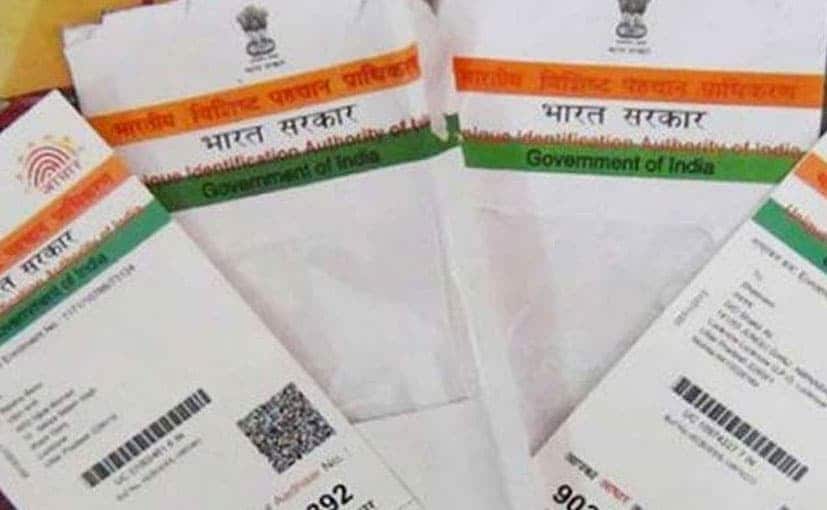
The UIDAI or Unique Identification Authority of India provides a range of services for Aadhaar holders and applicants online. The UIDAI - which issues the 12-digit personal identification number also known as Unique Identity Number (UID) under the Aadhaar programme - offers these services through its "self-service" portal, uidai.gov.in. While Aadhaar applicants can check the status of their enrolment application using the UIDAI portal, those already registered under the biometrics-based personal identification programme can verify their UID, among many other features. (Also read: RBI says demonetisation, Aadhaar spurred digital payments growth)
Here's how you can access some of these online facilities provided by the UIDAI through its self-service portal (uidai.gov.in):
How to enable/disable Aadhaar card biometrics lock
To enable the biometrics lock system, the user can start by selecting the “Lock/Unlock Biometrics” option from the homepage of the UIDAI portal. On the next page, he/she can proceed by entering details such as Aadhaar number or virtual ID (VID) in the indicated fields and clicking on “Send OTP”.
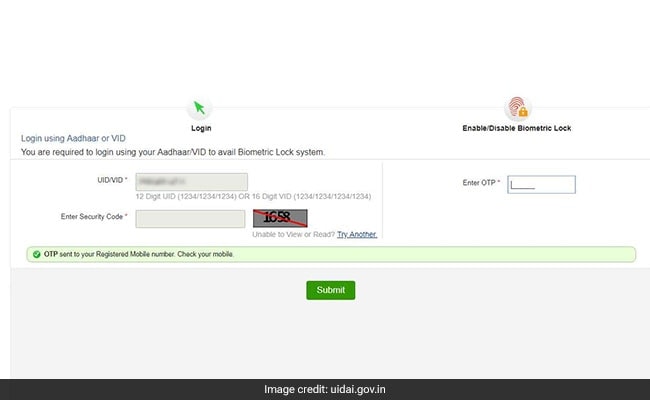
After this step, fill in the OTP in the given field and proceed by clicking on “Submit”.
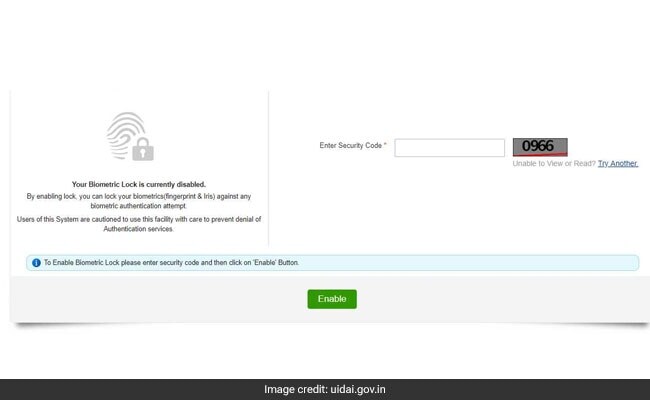
On the next page, fill in the required details and click on “Enable” to activate the biometrics lock.
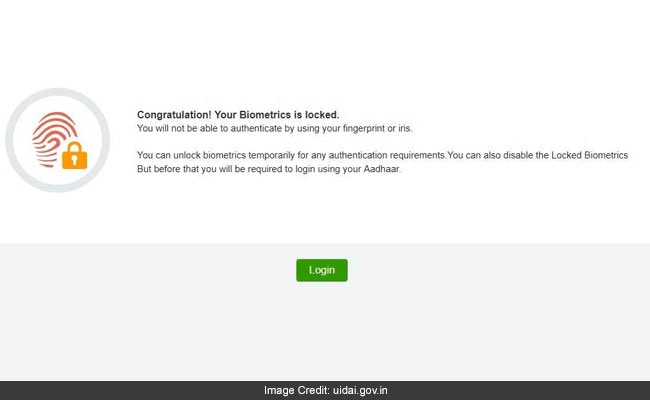
Once the biometrics associated with an Aadhaar are locked, the UIDAI portal displays the message: “You will not be able to authenticate by using your fingerprint or iris. You can unlock biometrics temporarily for any authentication requirements. You can also disable the Locked Biometrics.”
(Also read: How to change the address given on your Aadhaar)
In order to deactivate the biometrics lock system on a temporary basis (the lock gets enabled automatically after 10 minutes), the user is required to log in to the UIDAI portal in the same way as explained above and click on "Unlock".
Once the biometrics details are unlocked, the UIDAI portal displays the message: "Your Biometrics is unlocked now... You can authenticate by using your fingerprint or iris. You can also disable the Biometric Lock."
In order to disable the Aadhaar biometrics lock system (permanent deactivation), the user is required to log in to the UIDAI portal and first click on "Unlock". In the next step, the user is required to log in, fill in the required details and click on "Disable" to proceed. This can be done before the biometrics are automatically locked in the stipulated time.
Once the biometrics lock is disabled, the UIDAI portal displays the message: "Your Biometric Lock is disabled. You can enable your Biometric Lock any time. But before that you will be required to login using your Aadhaar." In this case, the Aadhaar biometrics lock is not engaged automatically.
How to update address fed into Aadhaar system
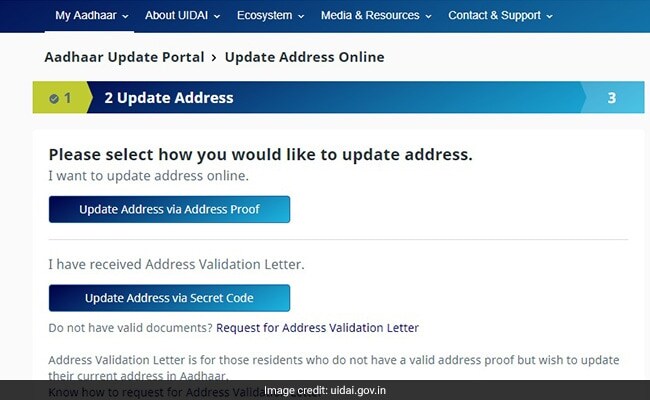
One of these facilities enables the user to apply for a change in the address fed into the Aadhaar database. The user can update the address online by submitting valid documents or an address validation letter (for those without documents), according to the UIDAI protal.
(Also read: How to order Aadhaar card reprint online)
Here's how to access this Aadhaar card online service using the UIDAI self-service portal:
The Aadhaar holder can access the service by selecting the "update your address online" option on the UIDAI portal. On the next page, the user is required to log in to the portal through an OTP- or one-time passcode-based verification process.
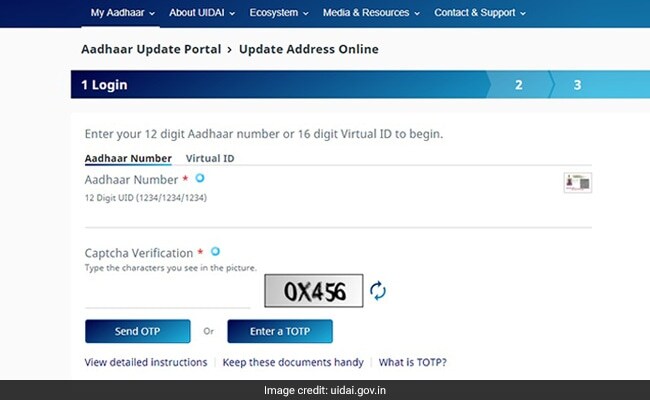
After this step, the user can proceed by clicking on the "update address via address proof" option. In this method, the user is required to upload a digital copy of a valid document to complete the request.
(Also read: How to link SBI account with PAN card, Aadhaar card)
Aadhaar registered mobile helps you avail below services easily & quickly:
1. Aadhaar Online Services
2. Aadhaar Authentication based services like e-verification of ITR, Online OPD appointments etc.
3. mAadhaar
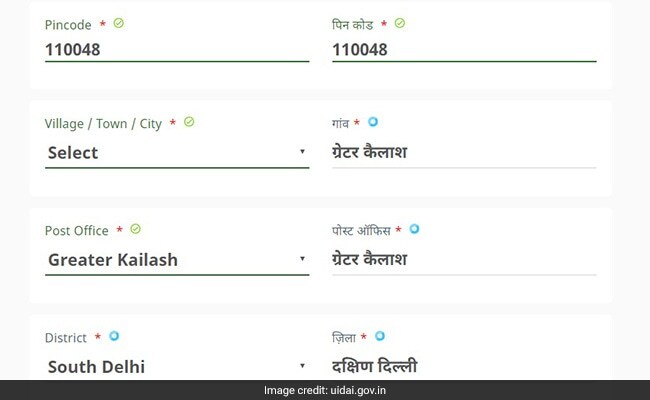
4. SMS alerts for Aadhaar servicespic.twitter.com/QuKqNiskuuAfter this step, the user is asked to fill in the personal details such as name and full address. On the next page, the user is required to verify the details fed into the online form.
(Also read: How to upload Aadhaar card, PAN card on DigiLocker)
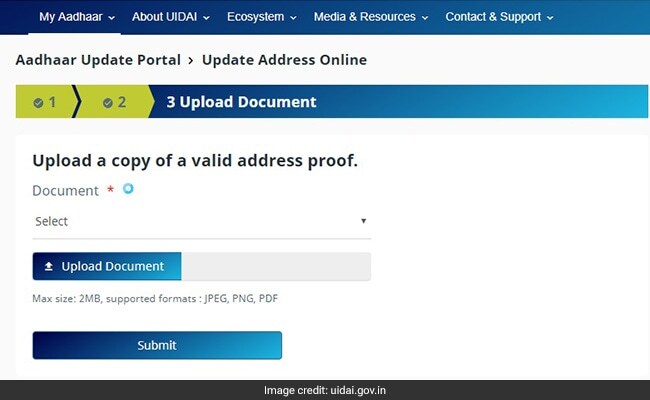
Once the user is satisfied with the entries, he/she may proceed to upload a copy of the relevant document. (Also read: How To Lock And Unlock Aadhaar Biometrics)
The UIDAI's self-service portal accepts a copy of documents such as passport, bank statement/passbook, driving license, insurance policy and vehicle registration certificate, among others, as a valid proof of address, according to its website.
(Also read: How to link Aadhaar with PAN)
The user can also upload a digital copy of an electricity bill, a water bill, a landline bill, a credit card statement or a gas connection bill up to three months old as address proof for making a request, according to the UIDAI.
How to reprint Aadhaar card (paid service)
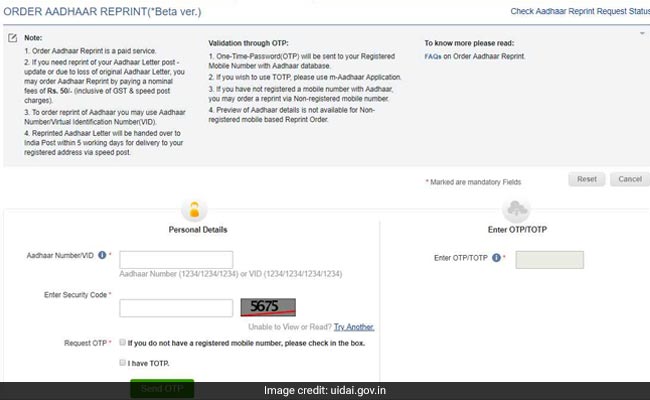
An Aadhaar reprint can be ordered online through a pilot facility being provided by the UIDAI. The UIDAI has set a fee of Rs 50 per Aadhaar reprint, which includes GST and speed post charges, according to the UIDAI.
In order to utilise the facility, users are required to log in on the UIDAI portal through their registered mobile number. An OTP or one-time password is sent to the user to verify the identity of the applicant for the purpose of identity verification.
Aadhaar card-PAN (Permanent Account Number) link
Meanwhile, the Income Tax Department has set a September 30 deadline for assessees to link their Aadhaar with PAN (Permanent Account Number). The taxman had earlier announced March 31 as the due date for PAN holders required to file an income tax return to seed their Aadhaar number into the income tax database.
KYC norms
Meanwhile, banks can now accept the proof of Aadhaar ownership for Know Your Customer (KYC) verification under certain conditions. According to an Reserve Bank of India (RBI) statement last month, the Aadhaar number can be used for KYC verification on consent from the customer. "Banks have been allowed to carry out Aadhaar authentication/offline-verification of an individual who voluntarily uses his Aadhaar number for identification purpose," the RBI noted. The central bank has specified KYC norms to be followed by banks and other regulated financial institutions, such as non-banking finance companies (NBFCs) and payment system providers.
Essential Business Intelligence, Continuous LIVE TV, Sharp Market Insights, Practical Personal Finance Advice and Latest Stories — On NDTV Profit.