The UIDAI or Unique Identification Authority of India enables Aadhaar holders to download a digital copy of their identification card through an online facility. The digital Aadhaar is "as valid as the Aadhaar letter received by post", according to the UIDAI, which manages the Aadhaar biometric ID programme and provides a range of related services online. A digital Aadhaar card can be downloaded using the UIDAI website (uidai.gov.in) or mobile app mAadhaar. (Also Read: How To Create Aadhaar Virtual ID | How To Get Aadhaar Card Reprinted Using A Paid Service)
How To Download A Digital Copy Of Your Aadhaar Card
Here is the step-by-step process to download a digital version of an Aadhaar ID card:
The user is required to visit the Aadhaar website, uidai.gov.in, and select the "download Aadhaar" option under the "Get Aadhaar" section.
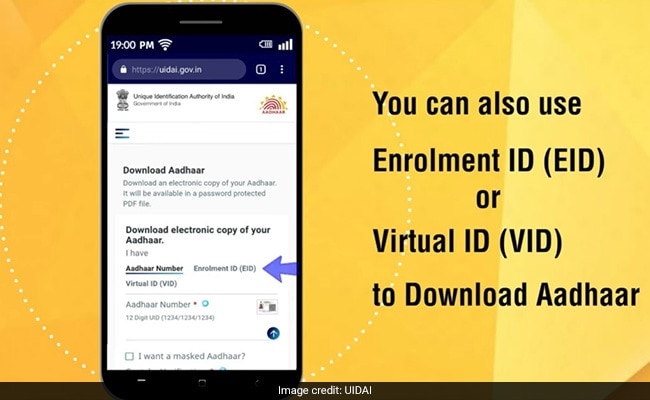
After this step, the user is required to select any of the three options to proceed: the Aadhaar number (UID), the enrolment ID (EID) or the virtual ID (VID). At this stage, the user can select whether a masked copy is desired. On a masked version, the entire UID - which comprises of 12 digits - is not visible.
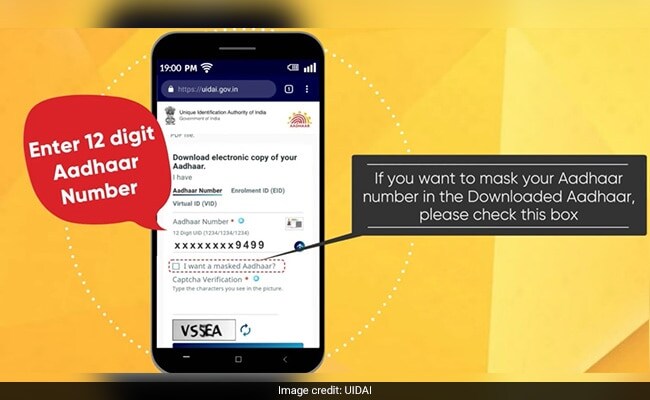
The user is required to click on the "Send OTP" button after filling in the necessary details, and enter the OTP or one-time passcode (received on the Aadhaar-registered mobile) in the given space to proceed.
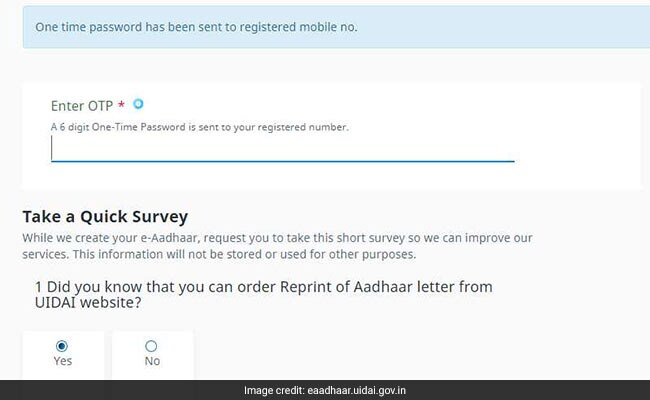
After this, the user is required to select the "verify and download" option.
https://t.co/yyq9dgmvEB to know how you can download your latest updated Aadhaar anytime anywhere. This downloaded Aadhaar is as valid as the Aadhaar letter received by post (Related circular: https://t.co/8vlJO3yt7f) pic.twitter.com/hwi1MdVutv
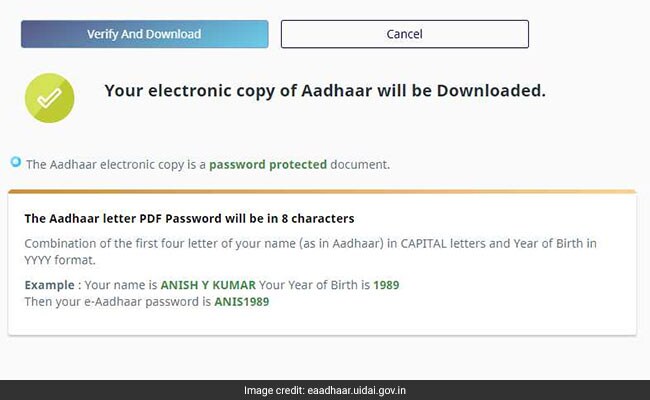
After successful completion of the process, a digital copy of the Aadhaar card is downloaded on the device being used. The downloaded Aadhaar file is in the PDF format, and is password-protected, which means the user is required to enter a password to be able to access it.
This password is a combination of the first four letters of the user's name in capital letters, followed by the user's birth year in the YYYY format, according to the UIDAI website.
A similar process can be used to download an Aadhaar card using the mAadhaar app.
Essential Business Intelligence, Continuous LIVE TV, Sharp Market Insights, Practical Personal Finance Advice and Latest Stories — On NDTV Profit.