How To Transfer Your EPF (Employees' Provident Fund) Money Online In 5 Steps
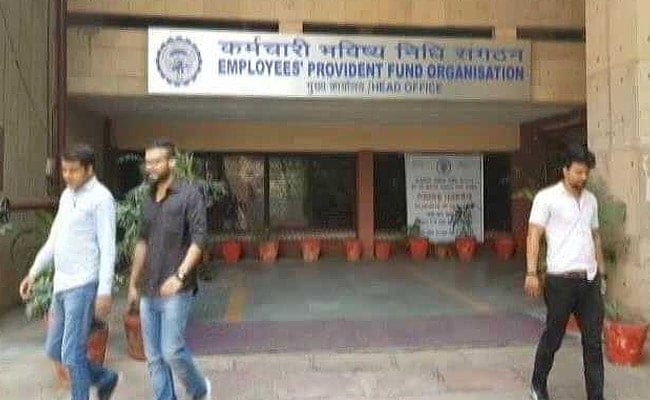
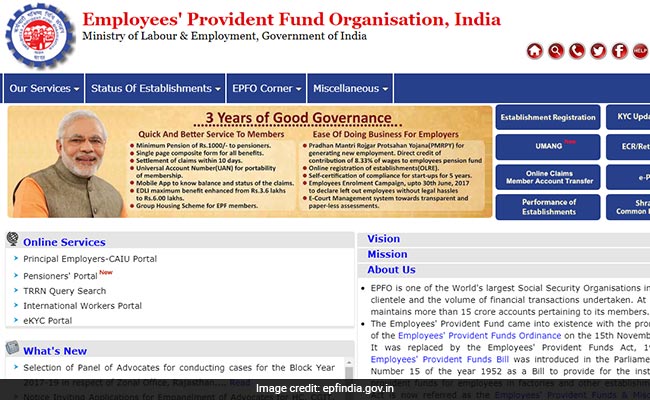
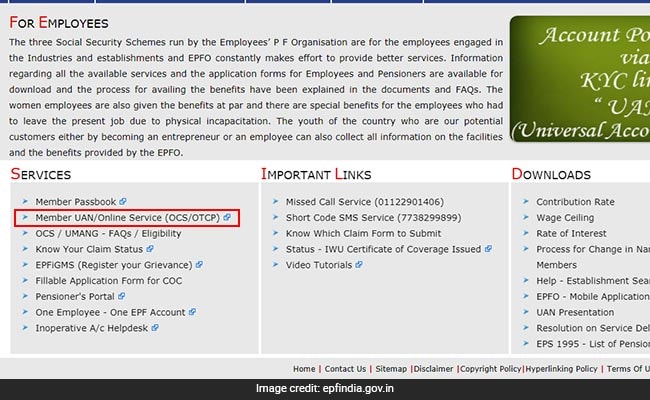
EPF or Employees' Provident Fund is a mandatory contribution from the salary of an individual that every organisation with more than 20 employees has to deduct. EPFO (Employees' Provident Fund Organisation), which comes under the Ministry of Labour and Employment, is the nodal agency to monitors EPF contributions -- shared eually between employees and employer. If one changes their organisation they need to file a transfer claim for EPF money. This claim can be filed online via EPFO's website, epfindia.gov.in.
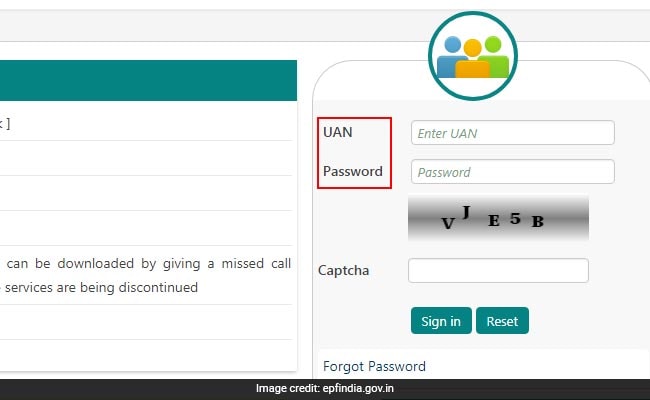
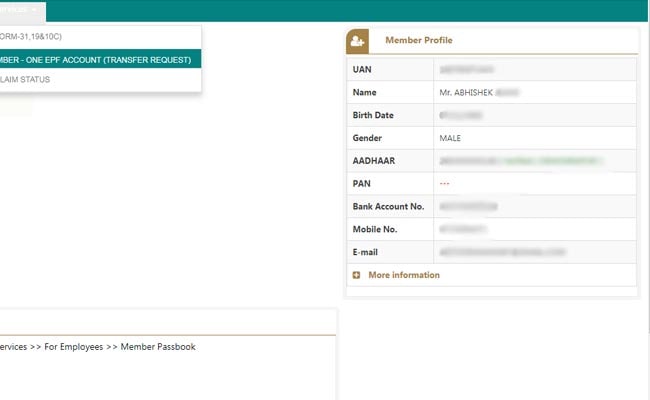
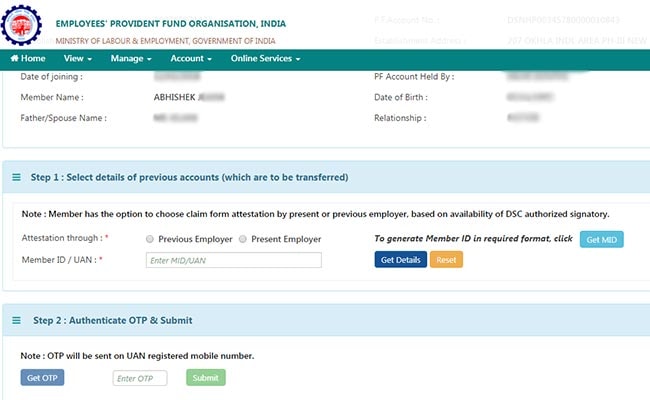
Here are the five steps you need to follow to transfer your PF money:

-
Why Swapping Your Old Gold Can Trigger A Rs 5 Lakh Tax Bill, And How You Can Avoid It Legally

Swapping old gold for new is taxed as a sale and a fresh purchase. Getting your own gold remade can cut most of that bill, though it has its own costs.
-
The AI Trade is Done. The Real Opportunity for Investors Starts in 2027 | Unhedged Position
As pureplay AI stocks plunge and circular, capex-led financing unwinds, 2027 is set to be a year of reckoning for AI companies. Yet the bust clears the way for a better opportunity for investors in 2027 -- shifting the spotlight from AI builders to the companies using AI.
-
Leadership As Mission: Why The Age Of AI Demands More Human Leadership
Debjani Ghosh examines how AI is changing leadership, arguing that its success must be measured by its impact on people and the accountability of those guiding its use.
-
We May Need Another Tukaram Mundhe To Fight Air Pollution | The Reason Why
Developers may install basic measures such as sprinklers and green nets, resume work, and continue violating rules when this equipment stops working.
-
Extracting Value From Battery Scrap Could Be Challenging For India | The Reason Why
A discarded lithium-ion battery still contains valuable materials such as lithium, nickel and cobalt. These can be recovered and reused. When such batteries are crushed and shredded, they produce a dark powder called black mass.
-
One El Nino, India Can Handle. Two Could Break The Granary
India's grain stocks can absorb one bad year, but a second El Nino could drain the buffer in two to three years, economists say.
-
India's Troika Of Good Luck | Joining The Dots
As Jensen Huang's exit drags Nvidia down, a cooling AI trade and resilient earnings have revived investor interest in India. A likely RBI rate hike looms.
-
Talking Points This Week: Leadership Shock At Nvidia, Earnings Strength, And The Fog Over Hormuz
The Anthropic IPO pricing and first trading day, Nvidia's upcoming earnings, and any fresh signals from Iran will set the tone for the following week.
-
Signature Play: The Classic Cocktail Is Dead. Or Is It?
Classic cocktails are disappearing from India's cocktail menus. But they're still being ordered, taught to bartenders and borrowed from. So, who's really having the last drink?
-
A New Samvat Wishlist: Inclusive Prosperity And Human Development
India has strengthened its economic foundations through infrastructure, digital access and enterprise. Its next growth chapter must deepen productivity, create better livelihoods and widen participation in prosperity.