Get App
Download App Scanner
Scan to Download
Advertisement
This Article is From May 21, 2018

How To Transfer Your EPF (Employees' Provident Fund) Money Online In 5 Steps

How To Transfer Your EPF (Employees' Provident Fund) Money Online In 5 Steps
EPF or Employees' Provident Fund claim's status can also be checked via Umang app.

EPF or Employees' Provident Fund is a mandatory contribution from the salary of an individual that every organisation with more than 20 employees has to deduct. EPFO (Employees' Provident Fund Organisation), which comes under the Ministry of Labour and Employment, is the nodal agency to monitors EPF contributions -- shared eually between employees and employer. If one changes their organisation they need to file a transfer claim for EPF money. This claim can be filed online via EPFO's website, epfindia.gov.in.

Here are the five steps you need to follow to transfer your PF money:
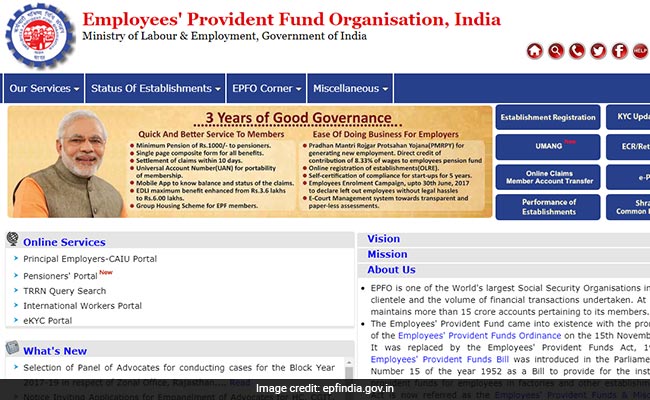
 

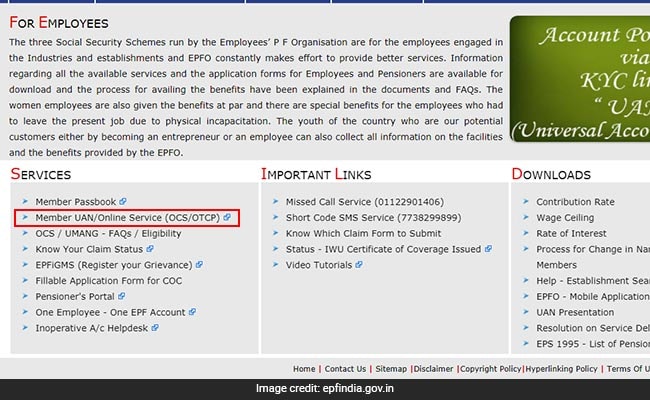
(Go on EPF website and click on our services)
(On this page you click on member UAN/ online service (OCS/OTP) under services)
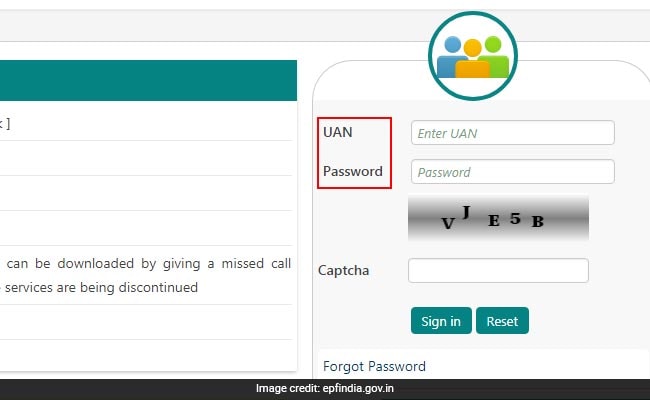
(UAN stands for Universal Account Number which is allotted by the EPFO)
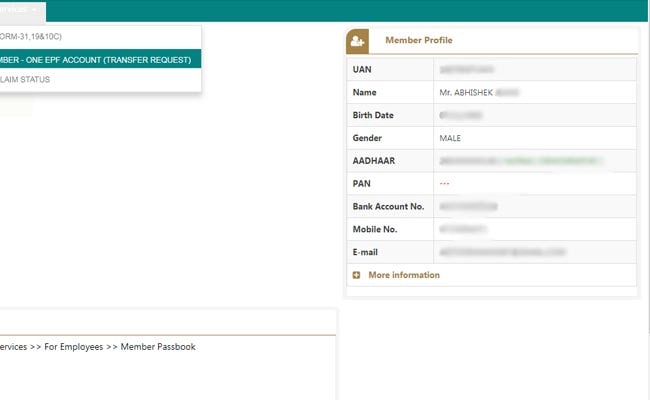
(On this page click on 'One member - one EPF account)
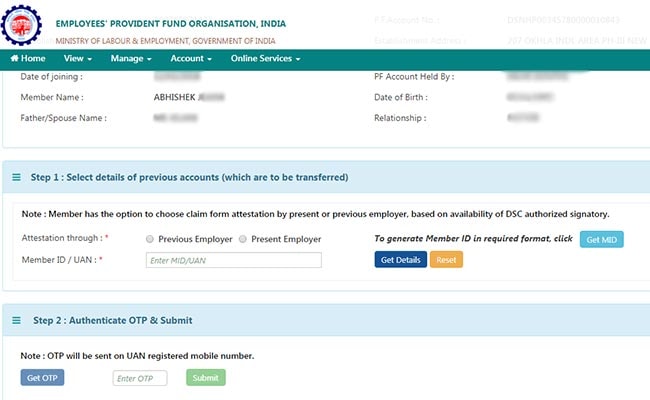
(On this page, you need to enter your UAN and OTP or one-time password)via the Umang app

Essential Business Intelligence, Continuous LIVE TV, Sharp Market Insights, Practical Personal Finance Advice and Latest Stories — On NDTV Profit.


Newsletters

Update Email
to get newsletters straight to your inbox
⚠️ Add your Email ID to receive Newsletters
Note: You will be signed up automatically after adding email

News for You

Set as Trusted Source
on Google Search