Google's Gemini Nano Banana feature has inspired social media users to showcase their creative side. The feature has fuelled a surge of AI-driven photo trends across platforms, including Instagram and X.
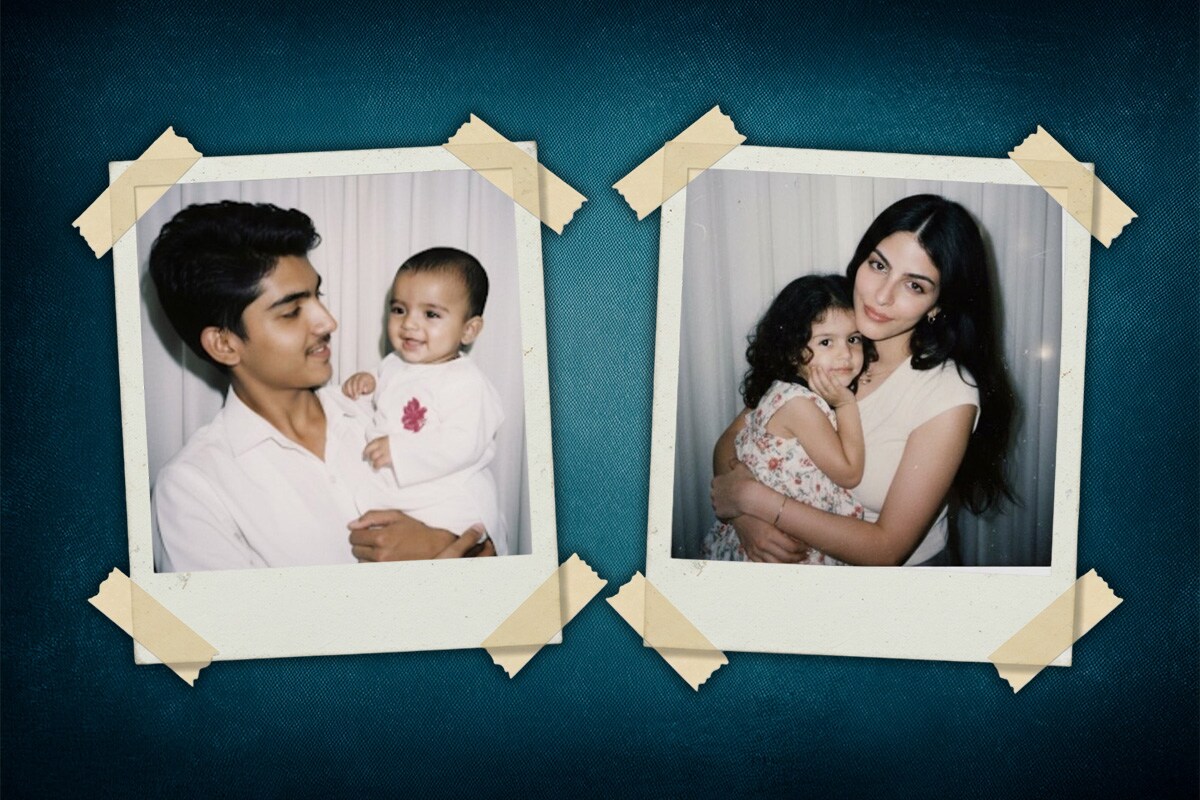
After the saree and 3D figurine image trends, now the 'Hug my younger self' trend has gone viral. By using the AI tool, users can create nostalgic polaroid-style pictures capturing a heart-warming reunion between their adult and childhood personalities.
The Nano Banana tool works as an AI-powered image editor. When the outcome isn't quite what a user had in mind, refining the prompt with additional detail often helps achieve better results.
Also Read | Layoffs Are Rising In Tech, But These Skills Are Helping People Unlock Better Pay
Below, we have listed the steps you can follow to generate your own “Hug my younger self” image.
'Hug My Younger Self' Gemini AI Prompt
It just takes a few quick steps to join the "Hug my younger self" trend online.
First, install the Google Gemini app from the Play Store or App Store and sign in using a Google account.
Select a recent photo and another from your childhood to upload.
Enter a prompt asking for a polaroid-style image showing your present self embracing your younger self. For example, you can type, "click a cute polaroid picture of my older self-hugging my younger self"
Finally, tap the arrow to let Gemini create the picture. Your AI-crafted nostalgic portrait will be ready in moments
Gemini helped me to hug my younger self 🥹 pic.twitter.com/kbxpo95cFV
September 14, 2025Made myself hug my younger self🤭 if i had seen this 5 years ago i would've been a mess but we're more stable now ;p pic.twitter.com/5TIvA5VIH2
September 14, 2025Gemini has quickly climbed to the number one spot on both the Apple App Store and Google Play Store, overtaking OpenAI's ChatGPT. The tool's surge in downloads has been fuelled by its features going viral across social media platforms.
Previously, a new social media sensation emerged with users embracing the vintage saree trend. Thanks to Gemini's Nano Banana tool, ordinary photos are being transformed into breathtaking Bollywood-inspired retro portraits.
This trend beautifully evokes a sense of nostalgia by merging portraits with the fashion of 1990s Bollywood cinema. It invites people to envision themselves as legendary stars from that unforgettable era.
Essential Business Intelligence, Sharp Market Insights, Practical Personal Finance Advice, Daily Fuel, Gold and Silver Prices and Latest Stories — On NDTV Profit.