iPhone's new update iOS 26 is officially here and one standout feature is 'ask reason for calling.'
A lot of people are bothered by unwanted calls, which sometimes interrupt work, personal time, and can even be a security risk. Users often have to deal with a constant barrage of these calls, making it difficult to distinguish between important calls and spam. Many people are hesitant to answer calls from unknown numbers for this very reason.
If you are still on the fence about upgrading to iOS 26, this one feature might just be the deciding factor. It's a game-changer for anyone tired of being hassled by unsolicited calls.
Also Read | Layoffs Are Rising In Tech, But These Skills Are Helping People Unlock Better Pay

-
 Indian Markets Turning Corner After Two Tough Years, Says Sandeep Tandon
 -
 NDTV Profit Ignite 2026: Experts See Opportunity In Equities, Stay Bullish For Long-Term
 -
 Buy Right, Sit Tight Does Not Work for Individual Stocks, Says Dinshaw Irani
 -
 'Worst Is Behind': Quant MF Sees Market Bottom, Flags 'Extreme Euphoria' In Midcaps
 -
 India's Mutual Fund Industry Could Become A $1 Trillion Opportunity, Say Fund Managers
 -
 'Foreign Investors Are Baraatis': Raamdeo Agrawal's Take On LTCG Tax
 -
 Stay Invested Through Market Cycles: Raamdeo Agrawal at NDTV Profit Ignite
 -
 Ramesh Damani Remains Bullish On India For Next 20-30 Years, Sees Bargains Amid Market Weakness
 -
 CAS Came After A Long Consultation Process: SEBI Chairman Tuhin Kanta Pandey AT NDTV PROFIT IGNITE
 -
 Aim To Cut FPI Onboarding Time From Mth To Five Days: SEBI Chairman Tuhin Kanta Pandey AT NDTV PROFI
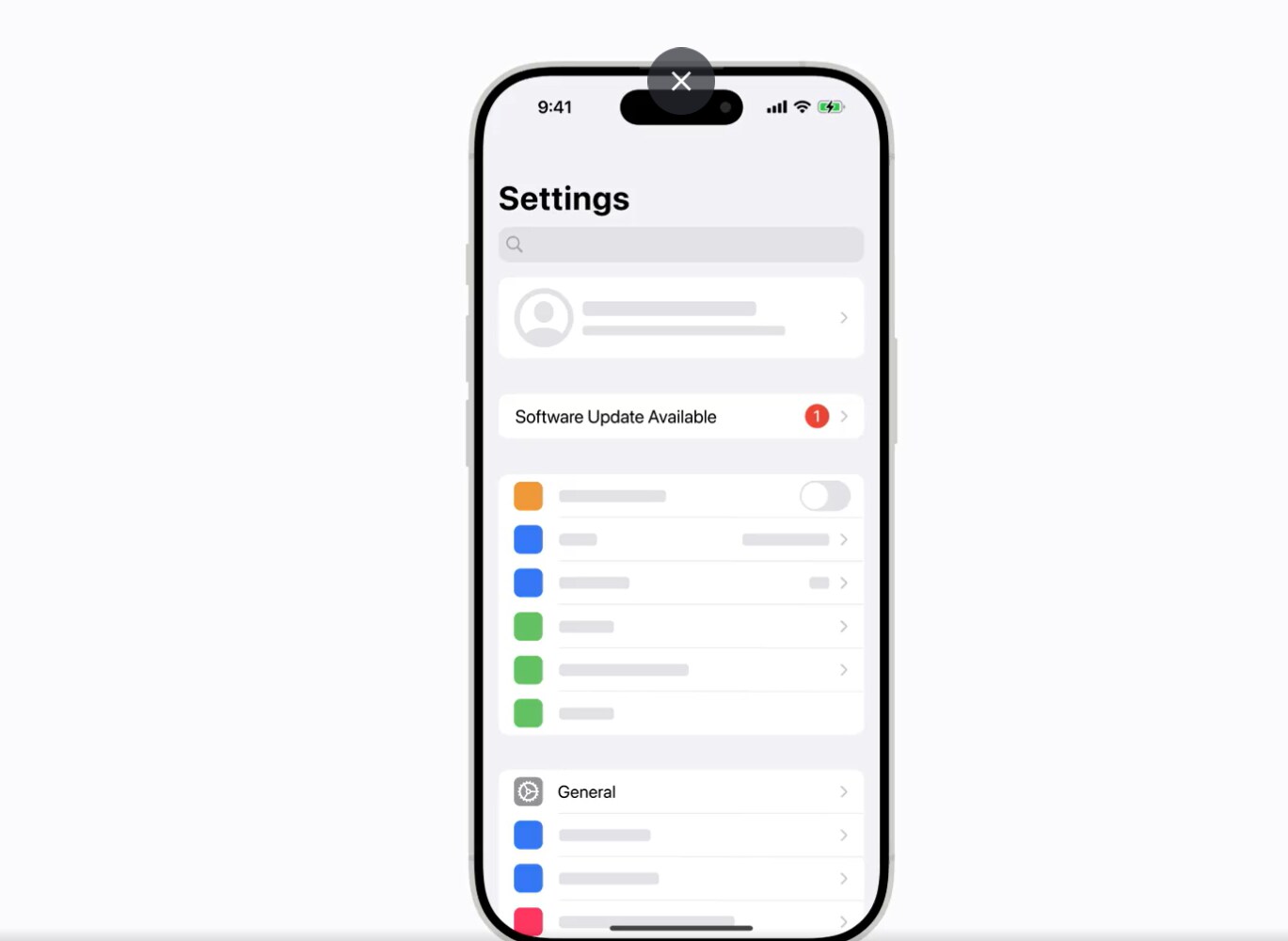
For the latest features and security enhancements on your iPhone, make sure to keep it up to date.
September 16, 2025
Here's how. pic.twitter.com/bKmzo7cAEKWhat Is Ask Reason For Calling Feature
The new 'Call Screening' feature in iOS 26 lets your iPhone deal with unknown callers for you, especially the feature "Ask Reason For Calling."
It discreetly asks them for their name and the reason for their call before your phone even rings. You will then see their response on your screen, so you can decide whether or not to take the call. There's also a new "Unknown Callers" section to keep these calls out of your main call log.
How To Enable And Use Call Screening in iOS 26
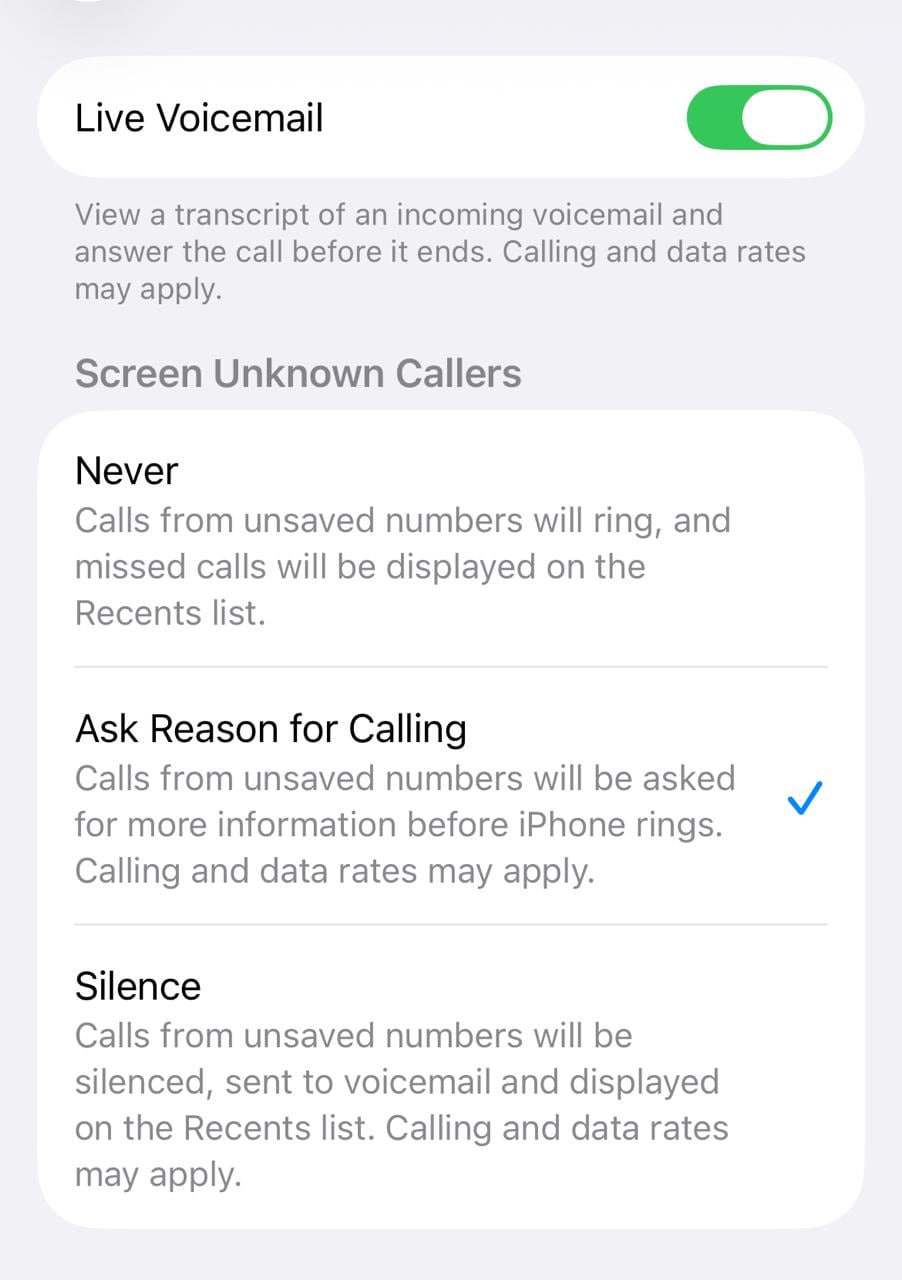
Go to the Settings app on your iPhone. Tap Apps, then tap Phone. Choose one of the following:
Never: Call Screening is turned off and your iPhone will ring when you receive a call from an unsaved number.
Ask Reason for Calling: Calls from unknown numbers will be asked for more information before the iPhone rings. Your iPhone will screen the call first, and then ring you with the caller's response.
Silence: Calls from unsaved numbers will be silenced, sent to voicemail, and appear in the Recents list.
If you know the person, you can also mark an unknown caller as 'known' to prevent future calls from being sent to the Unknown Callers list.
Go to the Phone app
Tap the Filter button
Tap Unknown Callers
Tap Mark as Known next to the call
Tap Mark as Known.
Picking Right Option
Still confused on which option is the one for you? Check this:
Ask Reason for Calling: This is the best all-rounder. You get to see who is calling and why before you were interrupted.
Silence: Choose this for absolute peace and quiet. You can review the calls later in the Unknown Callers list or in your voicemail.
Never: This is for those who regularly get legitimate first-time calls and don't want any screening.
Essential Business Intelligence, Sharp Market Insights, Practical Personal Finance Advice, Daily Fuel, Gold and Silver Prices and Latest Stories — On NDTV Profit.