Want to turn your imagination into reality with images? With Google Gemini AI, it's easier than ever to bring your creative vision to life. You can get great results with Google Gemini AI Photo Editing Prompts from simple tricks and tips that will help you generate stunning images just the way you want them.
Six Elements Of Creating Effective Prompts
Here are six elements by Google Gemini that will help you create your own prompts effectively:
Subject: Who or what is in the image? Be specific. For example, a black cat wearing blue specs dancing on a hippo. It has to be down to basic specifics.
Also Read | Layoffs Are Rising In Tech, But These Skills Are Helping People Unlock Better Pay
Composition: How is the shot framed? For example, should the picture be a close-up, wide shot, low angle shot and portrait.
Action: What is happening? For example, dancing in the rain, playing football with a cow, etc.
Location: Where does the scene take place? For example, futuristic cafe on Mars, a cluttered alchemist's library, a sun-drenched meadow at golden hour.
Style: What is the overall aesthetic? For example, 3D animation, film noir, water-colour painting, photorealistic, and 1990s product photography.
Editing Instructions: For modifying an existing image, be direct and specific. For example, change the man's cap to pink, remove the laptop in background.
Our new native image generation and editing is state-of-the-art, and ranked #1 in the world. And we're rolling it out for free to everyone today.
August 26, 2025
You've got the tools. Now go bananas. Ideas & inspiration in the 🧵below. pic.twitter.com/mw7XyG5nesPrompting Examples To Use
Users can either create a new image or tinker with existing ones by using some very simple prompts. From photorealistic edits to fantastical new worlds, here are five techniques to try:
1. Preserve characters' appearances
You can maintain the likeness of a person or character across different poses, lighting and environments, and even apply the same character to new styles and surfaces.
Prompt 1: A woman stands in a vast field, surrounded by a scattering of animals and vibrant flowers. The wind is getting blown away, causing her hair and clothes to billow around her.
Prompt 2 (in the same conversation): Now, show the same woman with auburn hair in a flowing white dress standing in a golden wheat field. A whirlwind of poppies and daisies gets blown away, swirling around her. Her hair are swept up in the wind as a fox watches from the tall grass.
Here, Google Gemini preserves key features of the character like facial features, distinctive appearance and clothing but tweaks according to the new prompts.
2. Make specific transformations
Prompt 1: A cinematic, high-quality photograph of a luxurious living room. In the centre of the frame is a sleek, black leather sofa. On a small side table next to it are three flickering candles casting a warm, inviting glow. On the coffee table in front of the sofa is a beautifully arranged platter of gourmet food.
Prompt 2 (editing): Change the colour of the sofa to a rich emerald green.
Prompt 3 (editing): Now, add a few scattered jasmine flowers on the table around the candles and the food.
By using direct, conversational commands, you can modify specific elements within the image without changing the entire scene.
3. Blend concepts with creative composition
Try fusing two or more ideas into a single image. Prompt Gemini to create two images, and then combine their subjects and environments in imaginative ways:
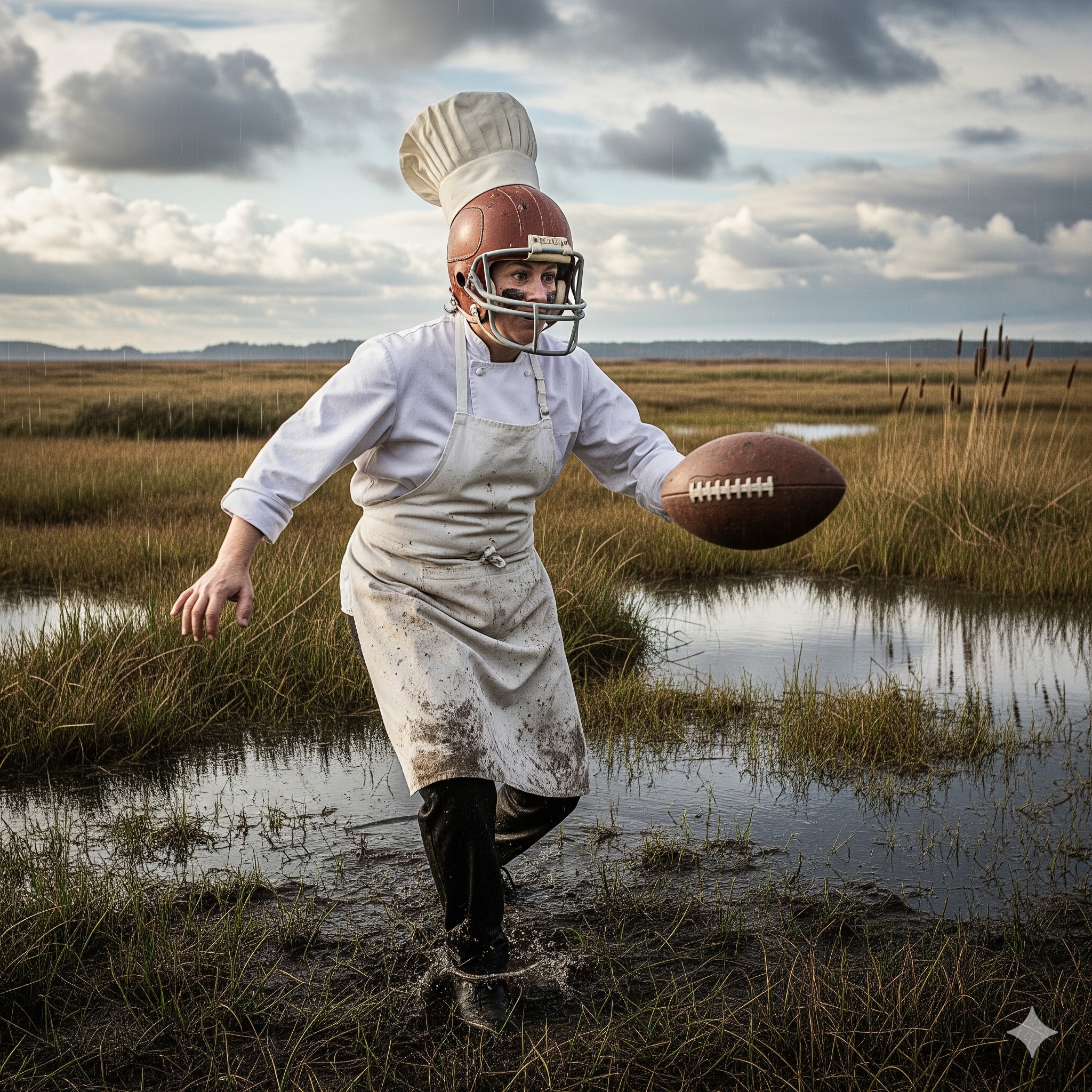
Prompt 1: Generate a photorealistic picture of a baker in a helmet and full suit.
Prompt 2: A picture of an overgrown cricket pitch in marshlands
Prompt 3 (upload both and combine): Show the baker playing football in marshlands.
AI image generated by Gemini
4. Adapt and apply new styles
You can completely change the mood and aesthetic of an image by applying a new style, colour palette or texture, all while keeping the original subject intact.
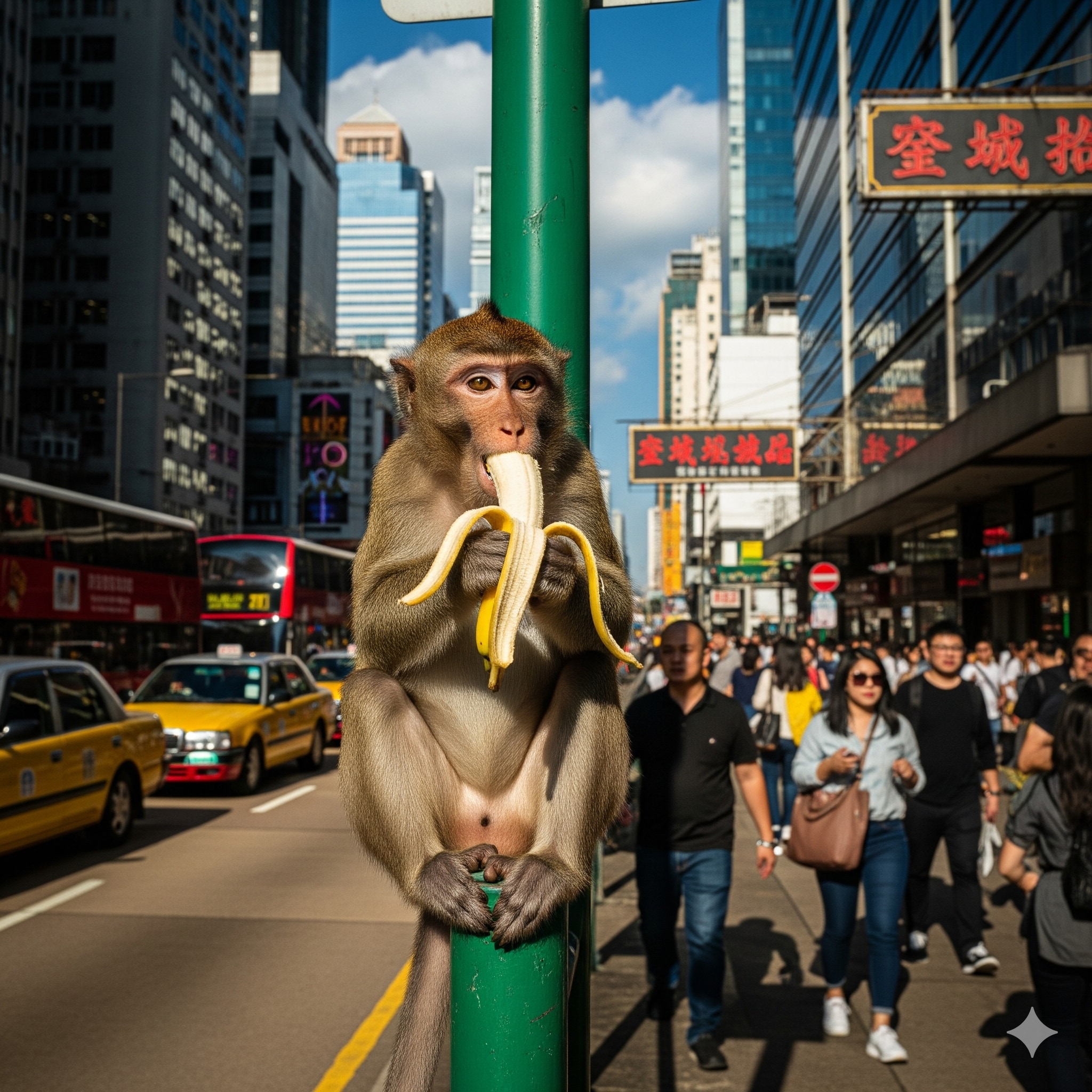
Prompt 1: An image of a monkey eating a banana in a crowded city street.
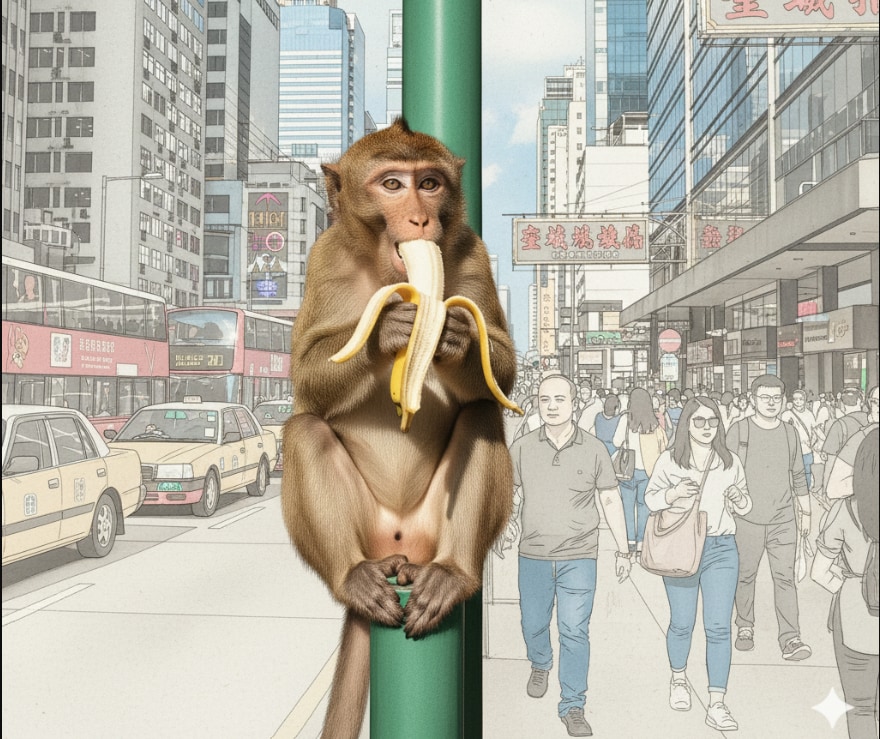
Prompt 2 (editing): Apply the style of an architectural drawing to this image.
With 'style transfer,' Gemini understands the core subject (monkey) and its form, then re-renders it entirely in the requested artistic style.
An image of a monkey eating a banana in a crowded city street. (Photo: Google Gemini AI)
An architectural drawing to the same image. (Photo: Google Gemini AI)
5. Use logic and reasoning for complex generation
Give Gemini a simple concept and let its reasoning capabilities build out the details.
Prompt 1: Generate an image of a person standing holding a 3-tiered cake.
Prompt 2 (in the same session): Generate an image showing what would happen if they tripped.
The model can use its logic and reasoning capabilities to predict what comes next.
Photo: Google Gemini AI Image
Essential Business Intelligence, Sharp Market Insights, Practical Personal Finance Advice, Daily Fuel, Gold and Silver Prices and Latest Stories — On NDTV Profit.